
Push protection for secrets is now generally available
GitHub has announced that secret scanning’s push protection is now generally available for private repositories with a GitHub Advanced Security (GHAS) license. At the same time, the company is making push protection free for all public repositories, extending the safeguard to open source maintainers and contributors.
Push protection scans for highly identifiable secrets before a push reaches GitHub, blocking commits that would expose credentials, API keys, or other sensitive tokens. GitHub says the feature has already prevented 17,000 potential secret leaks by developers using the beta since April 2022, saving an estimated 95,000 hours that would otherwise have gone toward revoking, rotating, and remediating exposed secrets.
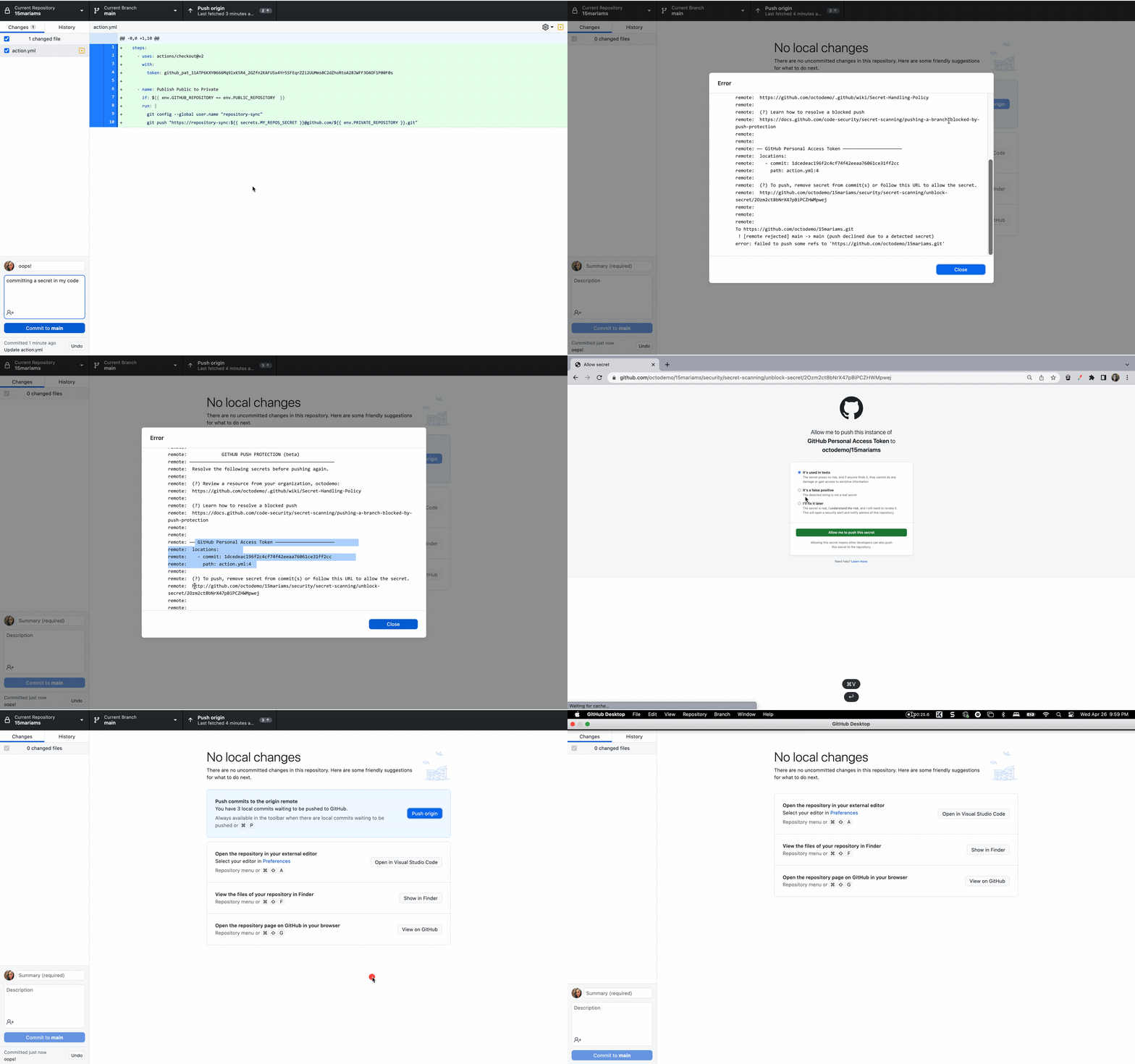
GitHub partners closely with service providers to keep false positive rates low, so developers can trust that a blocked commit is genuinely worth investigating. When a secret is detected, developers get a prompt in their IDE or command-line interface with details on the secret type, location, and remediation steps.
“Incorporating secret scanning with push protection directly into the development workflow reduces friction which enables developers to create secure and high-quality code,” said Ger McMahon, Product Area Leader for ALM Tools and Platforms at Fidelity Investments.
To handle legitimate cases where a push containing a secret is unavoidable—for example, during an outage where speed is critical—developers can bypass the block by providing a reason such as a false positive, a test token, or an acceptable risk to be fixed later. Repository and organization administrators and security managers receive email notifications for every bypass and can audit them through enterprise and organization audit logs, alert view UI, REST API, or webhook events.
“Secret scanning push protection is a frictionless feature that has brought better security awareness and protection from leaked secrets without compromising developer experience,” said Leo Stolyarov, Director and Cloud Practice Lead at KPMG.
Enabling push protection
Admins can enable push protection in a repository, organization, or enterprise from the “Code security and analysis” settings by scrolling to the secret scanning section. The enable-all button activates both “Secret scanning” and its subset, “Push protection.”
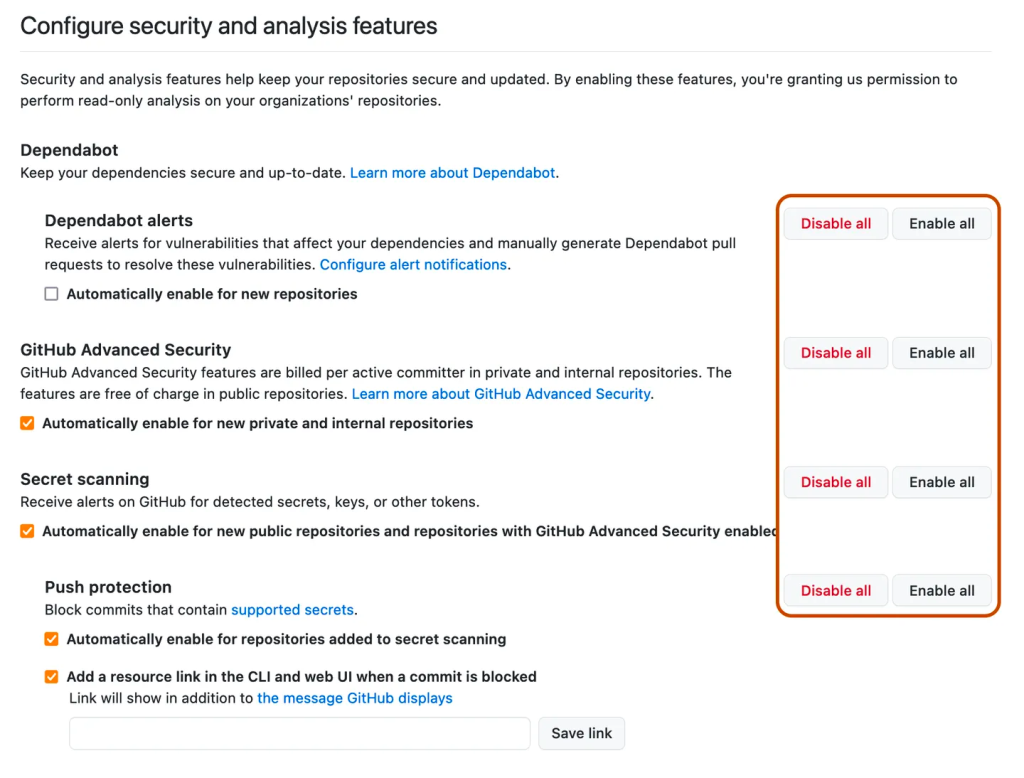
Enterprises and organizations can also automatically enable push protection on new repositories via checkboxes under the “Push Protection” section, and optionally provide a custom resource link that appears in the push protection message when a push is blocked.
GitHub Advanced Security customers can extend push protection to their custom secret patterns as well. Further details are available in GitHub’s documentation on push protection, GitHub Advanced Security, and the secret scanning partner program.


