
Restricted folder access with the Dropbox API
Dropbox Business teams can now create sub-folders with a more restricted audience than their parent folders. This capability is useful when a folder tree needs to remain organized under a single parent, but certain sub-folders should only be visible to a subset of the parent's members. The restriction applies to inherited member access; a restricted folder does not automatically grant access to members of its parent folder. Instead, you can explicitly add individual members or groups with specific permission levels. Restricted folders can only be created inside team folders.
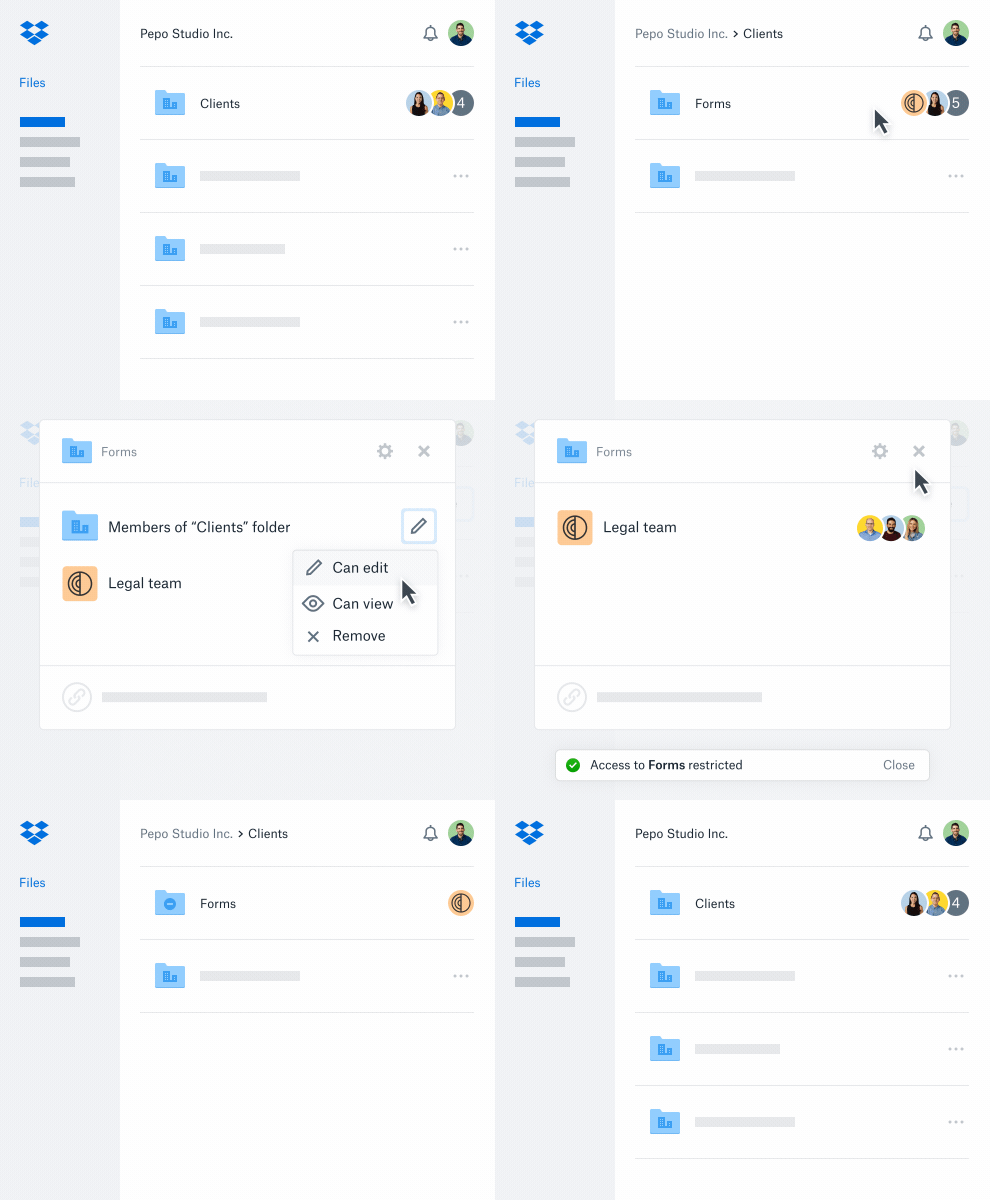
Creating a restricted folder
When creating a new folder inside a team folder, you can use the /sharing/share_folder endpoint and set the access_inheritance parameter to no_inherit. This creates the folder without any inherited permissions. You provide a path and name for the folder; if the path doesn't exist, Dropbox creates the folder. After creation, you can customize membership with /sharing/add_folder_member, which accepts a dropbox_id for an account, team member, or group.
For an existing shared folder, use the /sharing/set_access_inheritance endpoint with the folder's shared_folder_id and set access_inheritance to no_inherit. This action breaks inheritance from the parent folder and removes all current groups and individuals with access. You can then add a custom permission set using /sharing/add_folder_member.
curl -X POST https://api.dropboxapi.com/2/sharing/share_folder \
    --header "Authorization: Bearer <team_file_access_token> " \
    --header "Content-Type: application/json" \
    --header "Dropbox-API-Select-Admin: dbmid:AACf3TCu4HhXLhlYmfbrWnV3AvkQ-0oxCLp" \
    --data "{\"path\": \"/Client X/Secret Project Folder\",
        \"acl_update_policy\": \"editors\",
        \"force_async\": false,
        \"member_policy\": \"team\",
        \"shared_link_policy\": \"members\",
        \"access_inheritance\": \"no_inherit\"}"
Restoring parent folder members
To revert a restricted folder back to inheriting permissions from its parent, call /sharing/set_access_inheritance with the shared_folder_id and pass inherit as the access_inheritance value. This restores all inherited parent folder members.
curl -X POST https://api.dropboxapi.com/2/sharing/set_access_inheritance \
    --header "Authorization: Bearer <team_file_access_token>" \
    --header "Content-Type: application/json" \
    --header "Dropbox-API-Select-User: dbmid:AACf3TCu4HhXLhlYmfbrWnV3AvkQ-0oxCLp" \
    --data "{\"shared_folder_id\": \"6448417792\",
            \"access_inheritance\": \"inherit\"}"
Implementation example: managing a confidential project
Consider a media company admin setting up a confidential project folder for an existing client. The folder must live under the client's main folder for organizational purposes, but only a specific group within the client team should have access.
Creating the folder and setting permissions
First, create the project folder under the client folder using /sharing/share_folder with access_inheritance set to no_inherit. The response includes a shared_folder_id.
Next, grant access to the relevant client team. If that team is already set up as a Dropbox Group, pass the group's dropbox_id to /sharing/add_folder_member, along with the shared_folder_id. The dropbox_id can reference a single account, a team member, or a group.
curl -X POST https://api.dropboxapi.com/2/sharing/add_folder_member \
    --header "Authorization: Bearer <team_file_access_token>" \
    --header "Content-Type: application/json" \
    --header "Dropbox-API-Select-Admin: dbmid:AACf3TCu4HhXLhlYmfbrWnV3AvkQ-0oxCLp" \
    --data "{\"shared_folder_id\": \"6448417792\",
            \"members\": [{\"member\":
              {\".tag\": \"dropbox_id\",
              \"dropbox_id\": \"g:76264835542b7610000000000000219e\"},
              \"access_level\": \"editor\"}],
              \"quiet\": true}"
Adjusting permissions
If the wrong members were added, review current members with /sharing/list_folder_members. Identify the group or member to remove from the response, then call /sharing/remove_folder_member with the appropriate dropbox_id and the target shared_folder_id.
curl -X POST https://api.dropboxapi.com/2/sharing/remove_folder_member \
    --header "Authorization: Bearer <team_file_access_token>" \
    --header "Content-Type: application/json" \
    --header "Dropbox-API-Select-Admin: dbmid:AACf3TCu4HhXLhlYmfbrWnV3AvkQ-0oxCLp" \
    --data "{\"shared_folder_id\": \"6448417792\",
            \"member\": {\".tag\": \"dropbox_id\",
            \"dropbox_id\": \"g:76264835542b7610000000000000219e\"},
            \"leave_a_copy\": false}"
Restoring permissions after project completion
Once the project is delivered and the product launches, restore default permissions so the rest of the client team can access the work. Call /sharing/set_access_inheritance with the shared_folder_id and set access_inheritance to inherit.
Answers to common questions
Any team member with the ability to manage a folder's membership can restrict access to it.
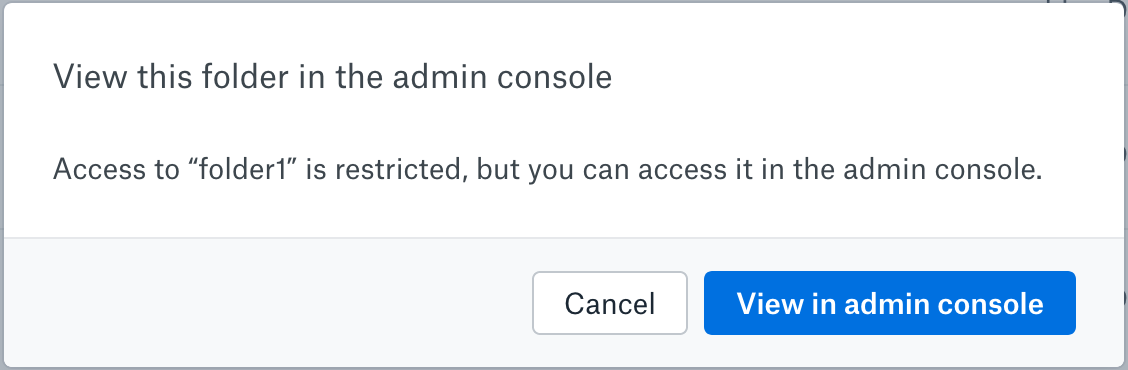
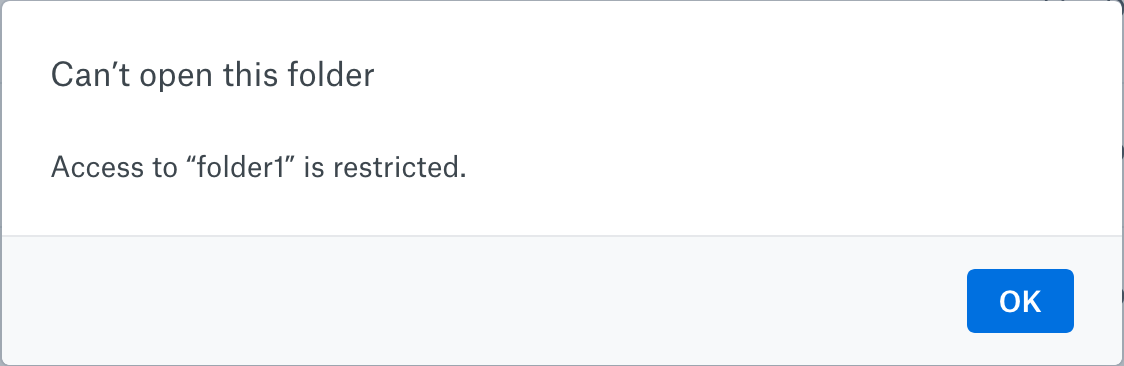
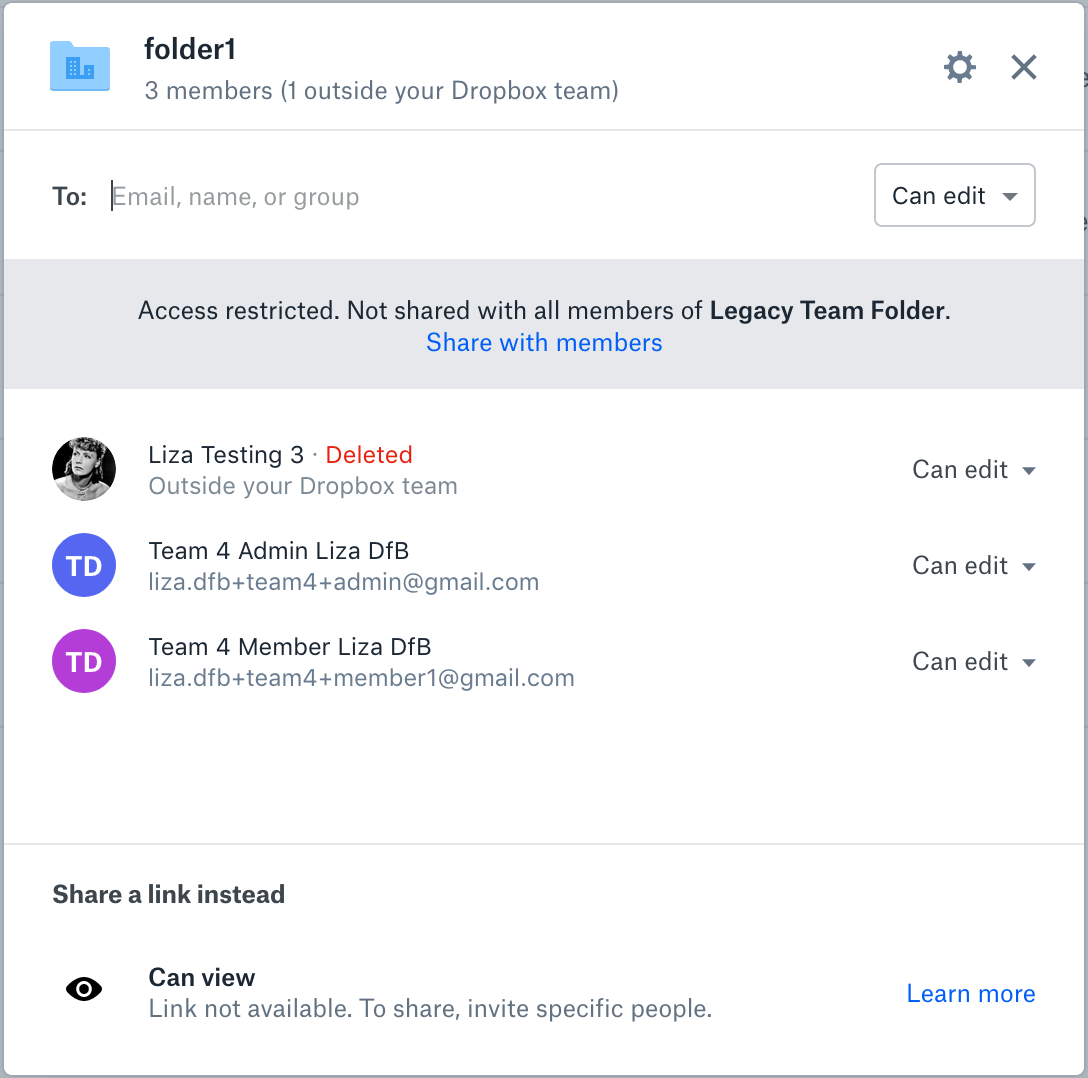
In the Dropbox user interface, a restricted folder shows a banner indicating that the folder has a more limited audience than its parent. From that banner, you can restore inherited members.
Operational guidance for large deployments
- Avoid mass-creating restricted folders in the same folder tree concurrently. While nothing will break, you may hit namespace lock contention. Create them sequentially or in separate parts of the tree.
- Keep the total number of shared folders for a team under 10,000. A folder with restricted access is always a shared folder, and performance may decline beyond that threshold.
- Keep team folder structures as flat as possible. Deeply nested sharing structures can degrade performance for large teams.
- Do not restrict access to a folder with 100 or more members. You will encounter a generic error. A workaround is to create a new restricted folder and move the contents of the existing folder into it.


