
Protecting secrets before they reach GitHub
Since push protection became generally available for free public repositories earlier this year, a quarter of public repositories with secret scanning enabled have adopted the feature. The goal is straightforward: intercept credentials, tokens, and other sensitive data in code that hasn't been pushed yet, preventing leaks at the source rather than cleaning up afterward.
Previously, enabling push protection required action at the repository level, and developers depended on administrators to flip the right setting. Organizations, too, lacked visibility into how well the protection was working across their codebase. Two new public beta features aim to change that: push protection for users and push protection metrics for organizations.
Push protection for users
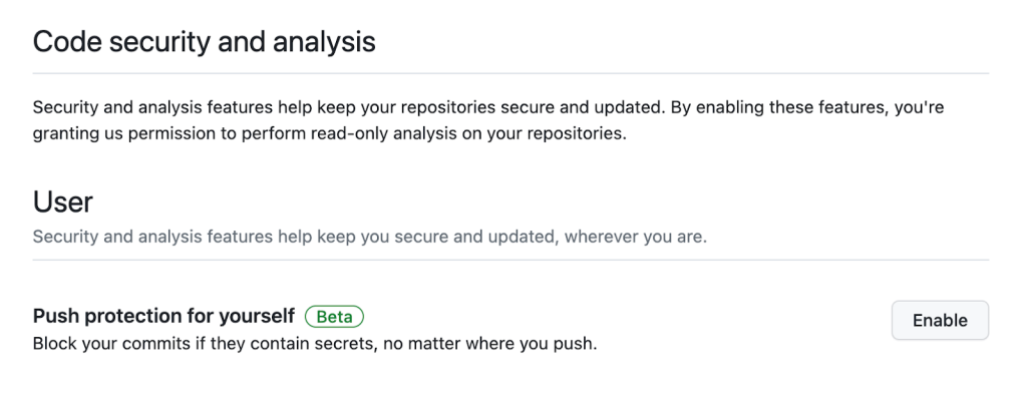
Push protection for users shifts the control to the individual developer. Instead of relying on each repository's configuration, you can enable push protection from your personal account settings and be confident that code committed to any public repository will be checked.
The feature will launch as opt-in during the beta, but GitHub plans to enable it by default for all Free users soon.
Measuring the impact at the organization level
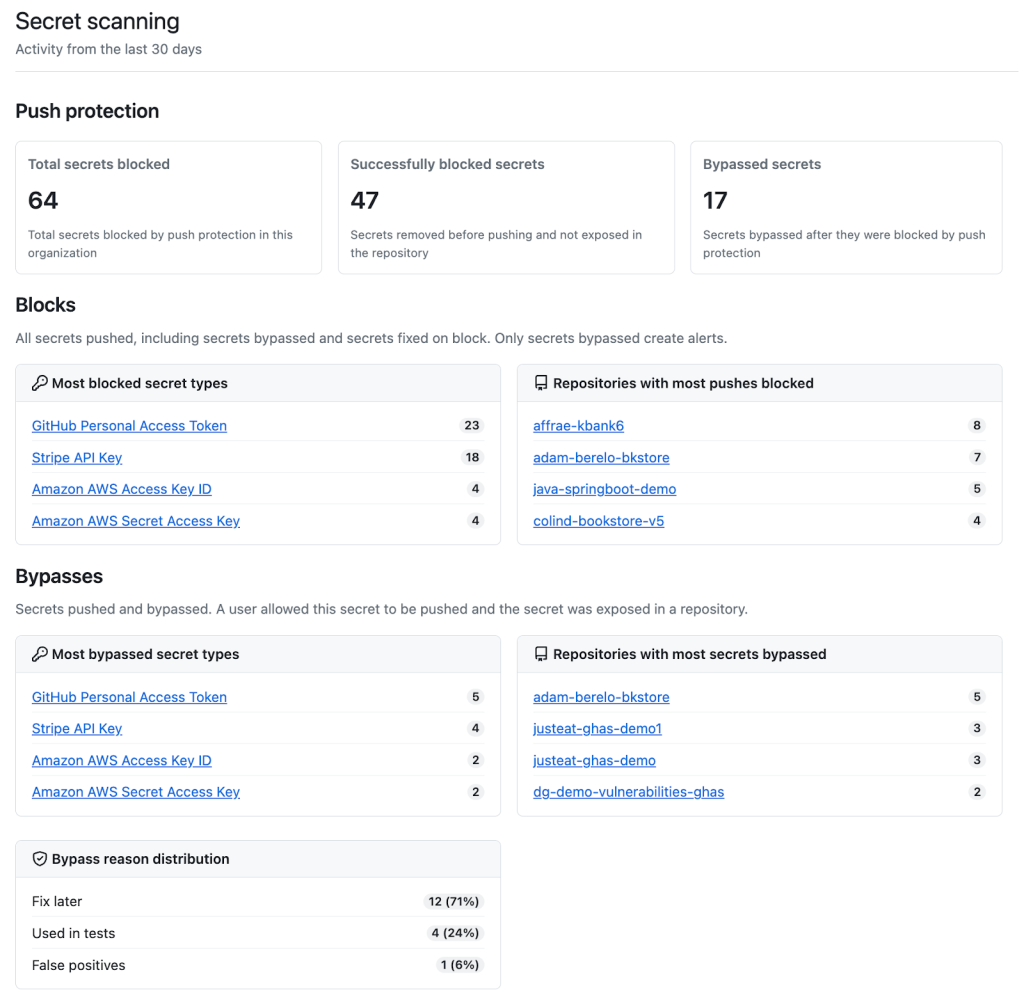
Push protection metrics gives organization owners and security managers the data needed to evaluate how effective push protection has been across their repos. Through the organization's security overview, you can see how many secrets were intercepted, how many were successfully blocked before causing damage, and how many were bypassed.
The metrics also surface which secret types and repositories are responsible for the most alerts, as well as the most common reasons for bypassing the protection. Those insights are intended to help teams refine their secret-management strategy, whether it means adjusting rules for a particularly problematic secret type or increasing scrutiny on a frequently flagged repository.
Getting started with the new features
For push protection for users, navigate to your personal settings by clicking on your avatar and selecting “Settings.” Then scroll to “Security” and choose “Code security & analysis.” In the “User” section, click “Enable” next to “Push protecting for yourself.” That's the toggle that ensures your own commits each get push protection regardless of the target repository's policy.
Organization owners and security managers can reach push protection metrics through the organization's “Security” tab, then click on “Secret scanning” under the “Metrics” section on the left-hand sidebar. That's where the trend data and deeper breakdowns of blocked and bypassed secrets become available.
Full documentation is available on the push protection for users reference page, and questions can be directed to the code security community discussions.


