
One-click code scanning arrives for select repositories
GitHub has long offered one-click enablement for secret scanning and Dependabot. Code scanning has now joined that group with a new “default setup” option that removes the need to write a .yaml workflow file.
Default setup currently supports Python, JavaScript, and Ruby repositories. Once enabled, it runs CodeQL analysis automatically and surfaces vulnerability insights without requiring developers to leave their normal workflow. GitHub plans to extend the feature to all languages supported by the CodeQL engine over the next six months, prioritizing by popularity and build complexity.
Enabling default setup
To get started, go to the repository’s Settings tab, then navigate to Code security and analysis under the Security heading.
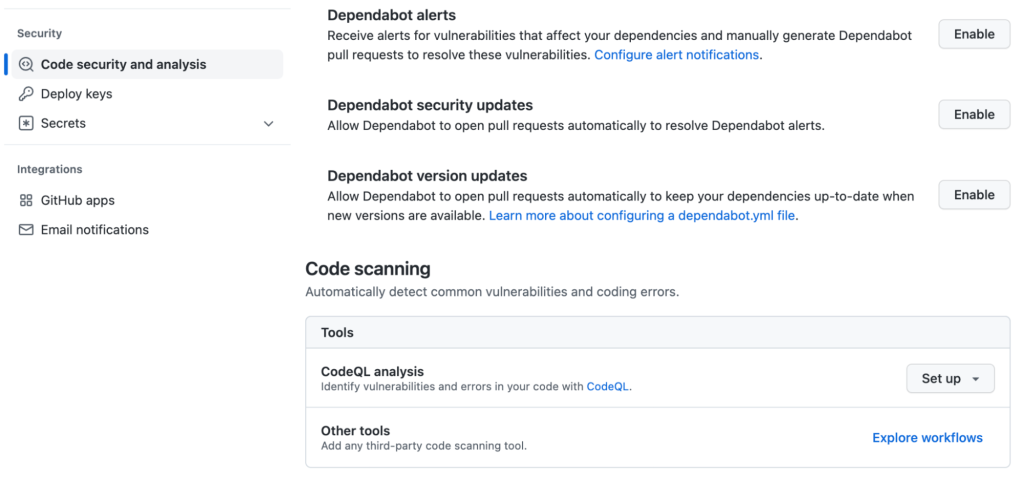
The code scanning setup toolbox now presents two paths after clicking Set up:
- Default: automatically configures code scanning with no
.yamlfile required. - Advanced: allows full customization via a
.yamlfile.
If a repository does not support default setup, the option appears grayed out.
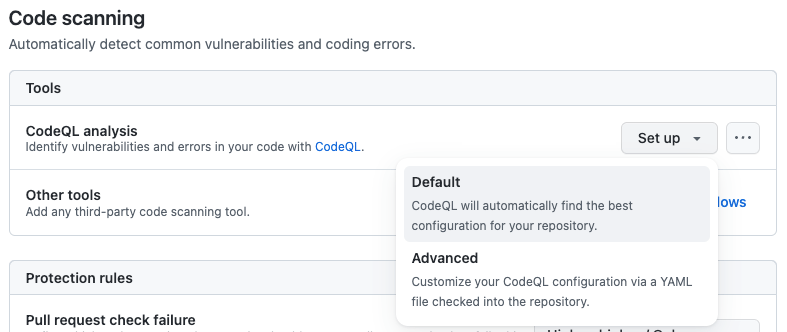
Selecting Default generates a configuration summary tailored to the repository’s contents, including detected languages, the query packs that will run, and the events that trigger scans. These options are not yet customizable, though that capability is planned for the future.
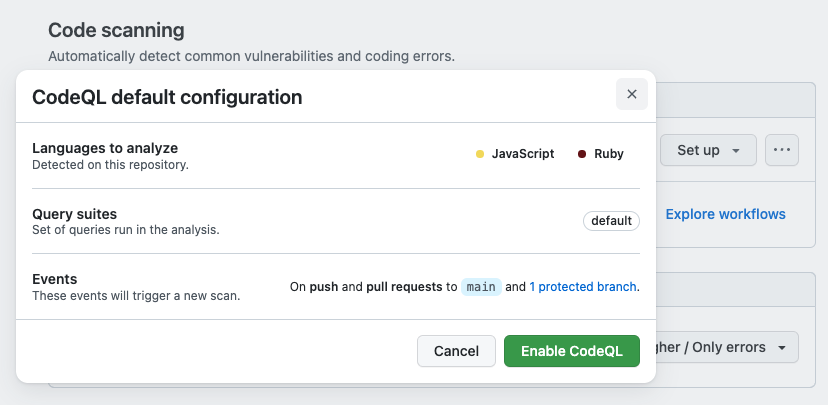
After reviewing the summary, click Enable CodeQL and scanning begins automatically. No further manual steps are required.
For more details on configuring code scanning, refer to GitHub’s documentation, or see the getting started guide for enabling other GitHub security features.


