

Audit log streaming reaches public beta on GitHub Enterprise Cloud
GitHub has opened a public beta for audit log streaming, allowing GitHub Enterprise Cloud customers to forward audit log and Git events to Splunk or Azure Event Hub in near real time. Streamed data is retained for playback up to seven days, giving administrators a buffer if they need to pause collection.
The feature is designed to complement the audit log and Git events API released earlier this year. That API suits short-term investigations, but only returns Git event data for the previous seven days. Streaming addresses longer-term needs: enterprises can store events in their own data collection systems for as long as they choose, making retention and compliance goals achievable while enabling deeper analysis in the SIEM tool of their choice.
Event payload consistency between API and stream
The metadata in streamed events matches what the API returns; only the retention period and access method differ. Git events will make up the bulk of enterprise activity, so the ability to retain and analyze those patterns over months or years is a key benefit.
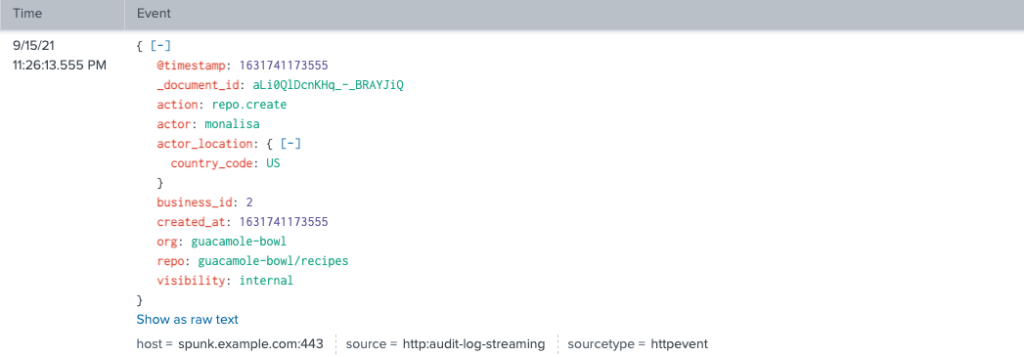
Here is a repo create event as returned by the API:

And the same event as it appears in the streaming payload:
Filtering by organization
Streaming supports the same organization-level filtering available in the UI and API. Using org="organization-name" restricts results to that organization. In the Splunk web client, the query looks like this:
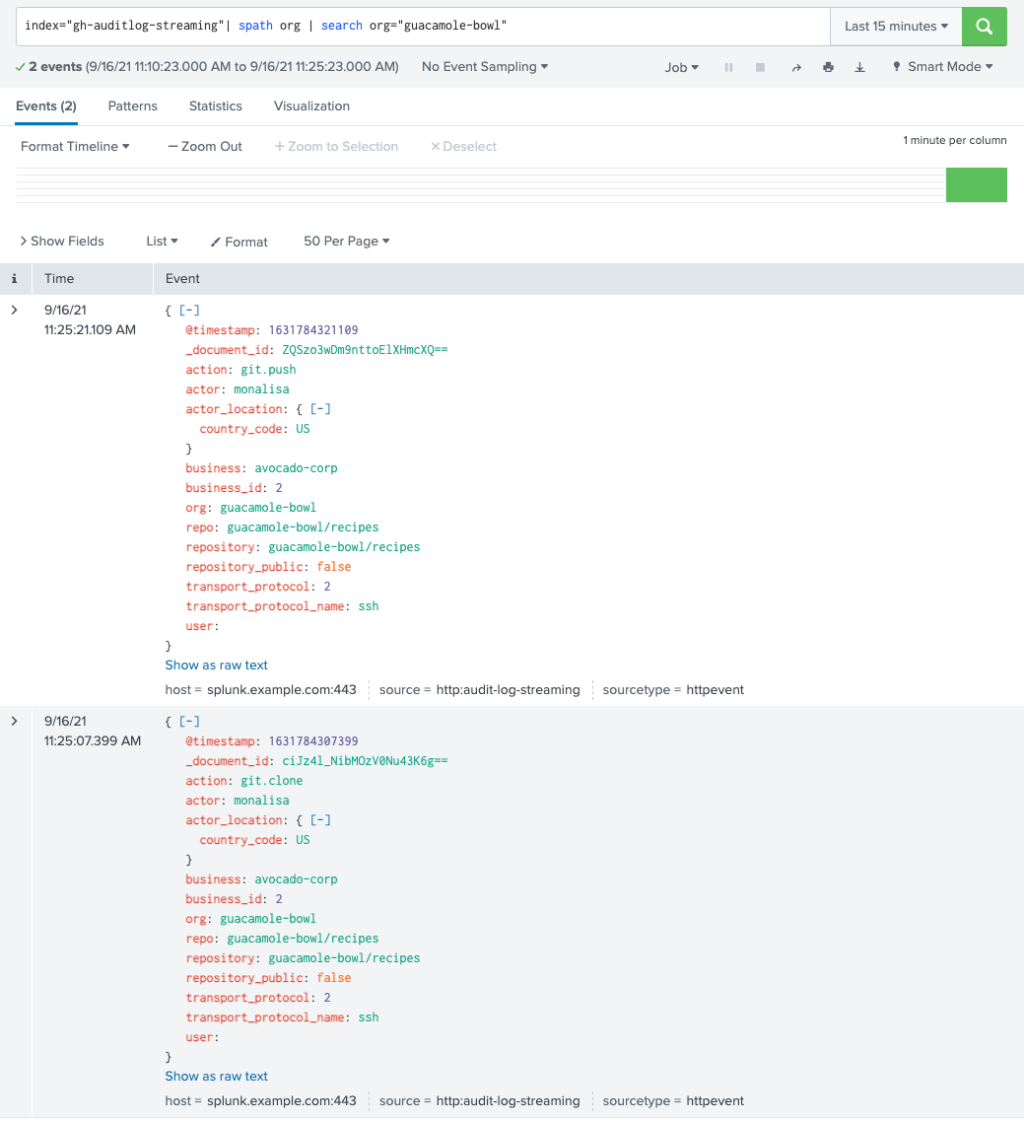
Splunk users can also reference Splunk's add-on for GitHub for additional dashboards and use cases.
Roadmap for integrations
During the public beta, GitHub plans to expand the destinations for streams and refine the administrative experience. Upcoming storage targets include:
Additional SIEM partnerships and deeper integrations with threat prevention tools, such as Azure Sentinel, are also in the works.
Feedback and getting started
As part of the beta, GitHub will add enhanced stream status and error reporting, along with UI improvements as new integrations land. Questions and issues can be directed to [email protected].
To enable streaming, follow the documentation, navigate to the enterprise account settings under the audit log tab, and configure your collection endpoint. Watch the GitHub Changelog for beta updates and the public roadmap for general availability timing.


