

Scaling code scanning with default setup
Default setup for code scanning, launched in January, has quickly become the preferred path for enabling the feature: nearly half of all new code scanning implementations now use it, and 96% of users who try it continue using it. Recent enhancements extend that ease of use beyond individual repositories, adding multi-repository enablement, organization-wide rollout, expanded query options, and API support.
Multi-repository enablement
A highly requested addition, multi-repository enablement, lets you apply default setup to a curated set of repositories from the security coverage page in security overview. Unlike "Enable all," which applies a feature to every repository in an organization, this approach gives you granular control.
From the security coverage page, filter repositories by attributes such as team or topic, then enable code scanning default setup only for that subset. You can also exclude repositories — test or documentation repos, for example — by using the negation symbol (-) in filters. This keeps code scanning scoped to the repositories that matter while giving you clearer visibility into your security posture.
To get started, navigate to the security coverage page in security overview.
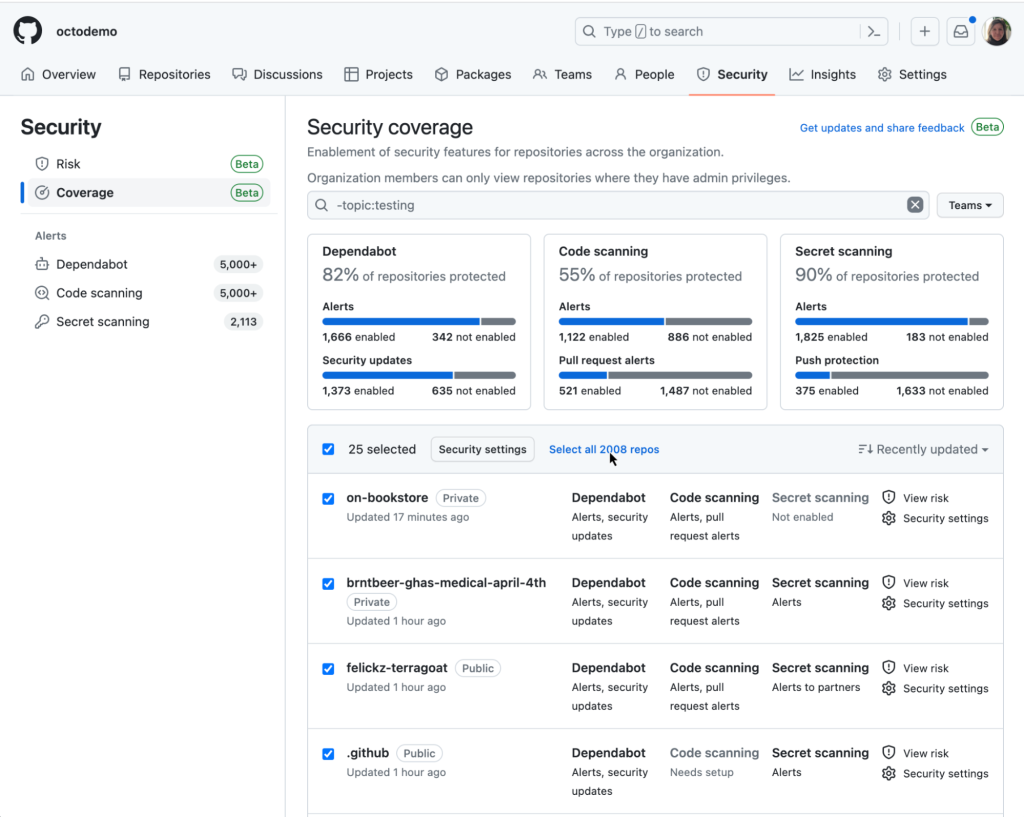
Check the box next to individual repositories to select them, or use the header row checkbox to select all repositories on the page. If you need more than 25 repositories, click the "Select all repos" hyperlink to expand the selection.
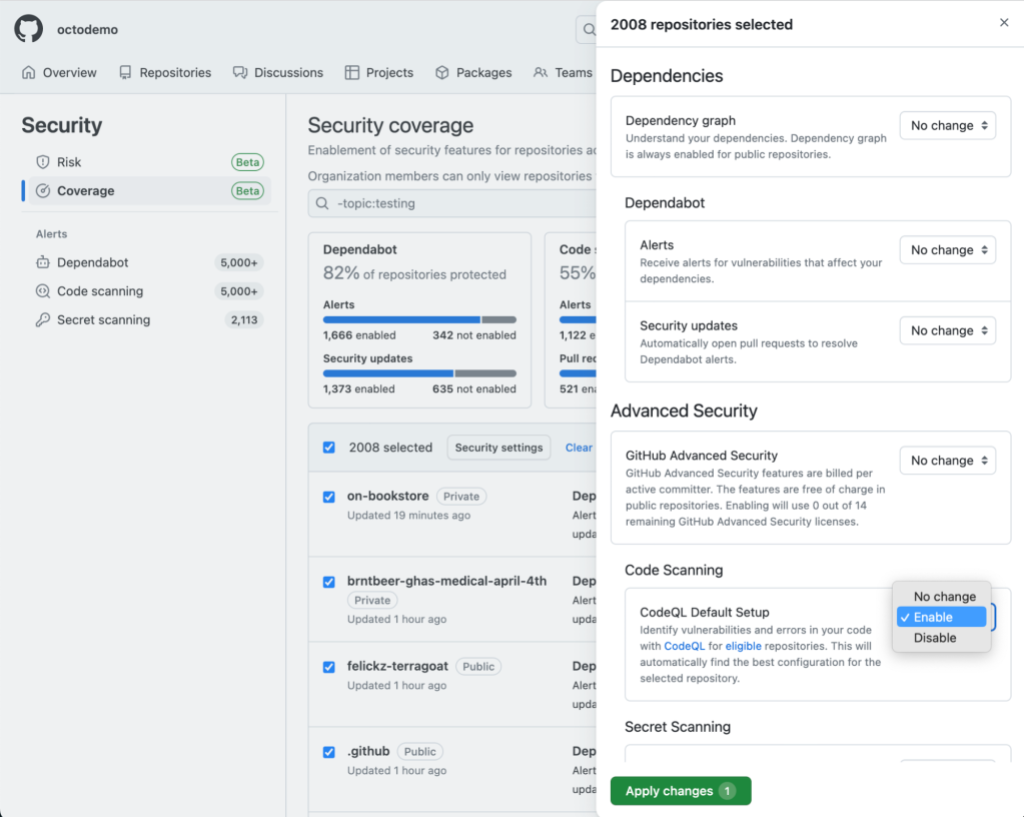
After making your selections, click the "Security settings" button in the header row. An enablement panel appears where you can choose which security features to enable or disable using the relevant drop-downs. Settings apply to all eligible repositories selected in the previous step. Drop-downs labeled "No change" leave the feature's current state untouched — so if a feature was previously enabled on some repositories but not others, those existing states remain unchanged. Finally, click "Apply changes" to submit.
Enabling default setup organization-wide
For organizations that want a simpler path, the one-click "Enable all" option applies code scanning default setup to all eligible repositories. Find it in the "Code security and analysis" section of your organization's "Settings" tab, where you'd expect to see similar options for other GitHub Advanced Security features.
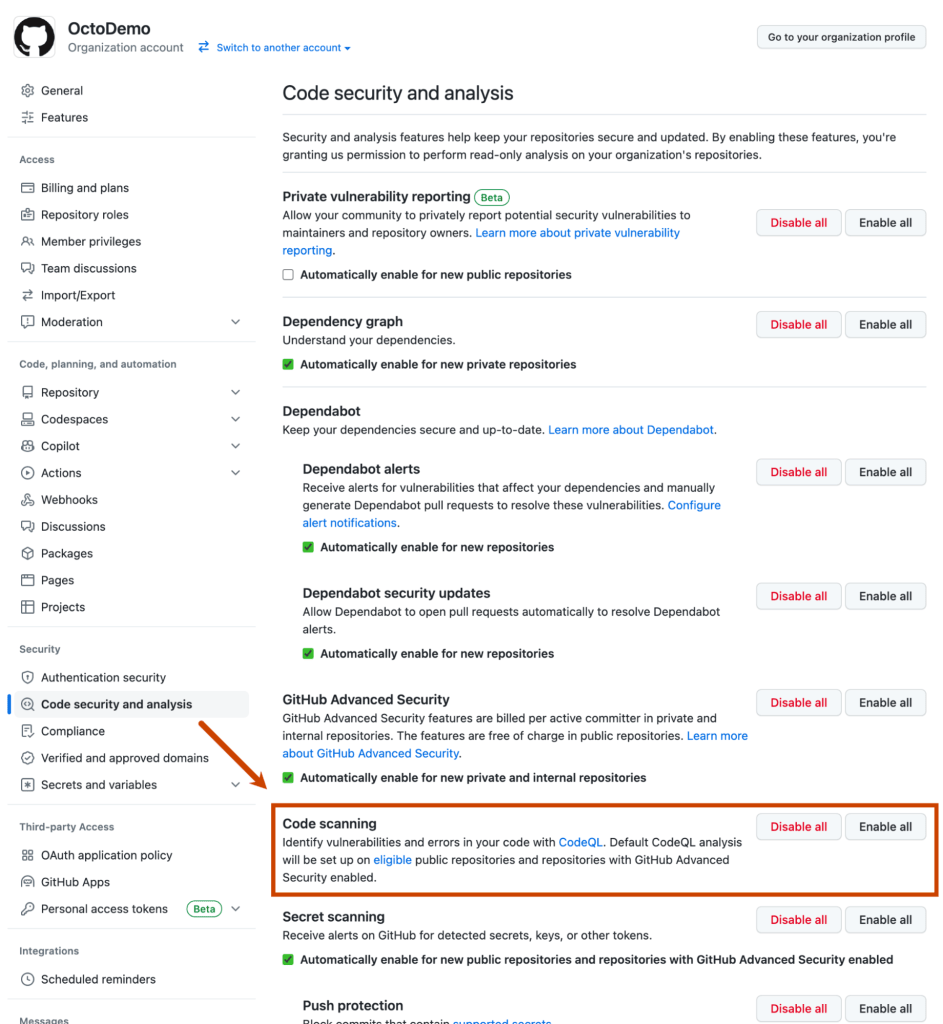
Clicking "Enable all" automatically configures default setup on all eligible repositories in the organization. As with repository-level setup, default setup selects the most up-to-date starter workflow for each repository to find the best configuration. Documentation explains how to identify which repositories are enabled after rollout.
Repository-level improvements and API access
Default setup at the repository level has also gained flexibility. You can now opt into the extended query suites during setup, or adjust the choice at any time by editing the CodeQL configuration.
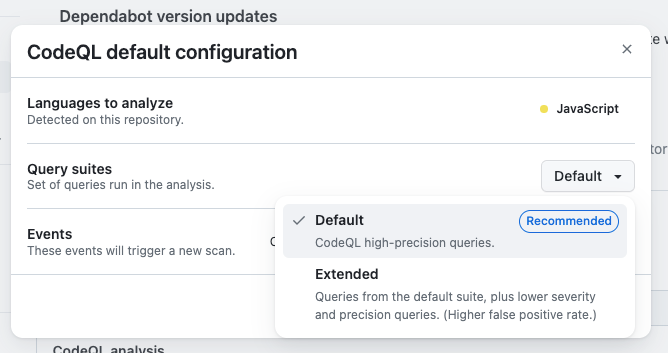
The extended suite includes the same high-precision queries as the default suite, but adds lower severity and experimental queries — useful if you want a broader range of alerts.
There's also a new API for repositories that enables programmatic management of code scanning default setup. It supports onboarding a repository to code scanning, selecting which query suite the configuration uses, viewing the current configuration, and offboarding a repository from default setup.
These changes focus on giving you more control over how default setup fits your workflows. Planned roadmap items include support for additional languages and further customization options.


