
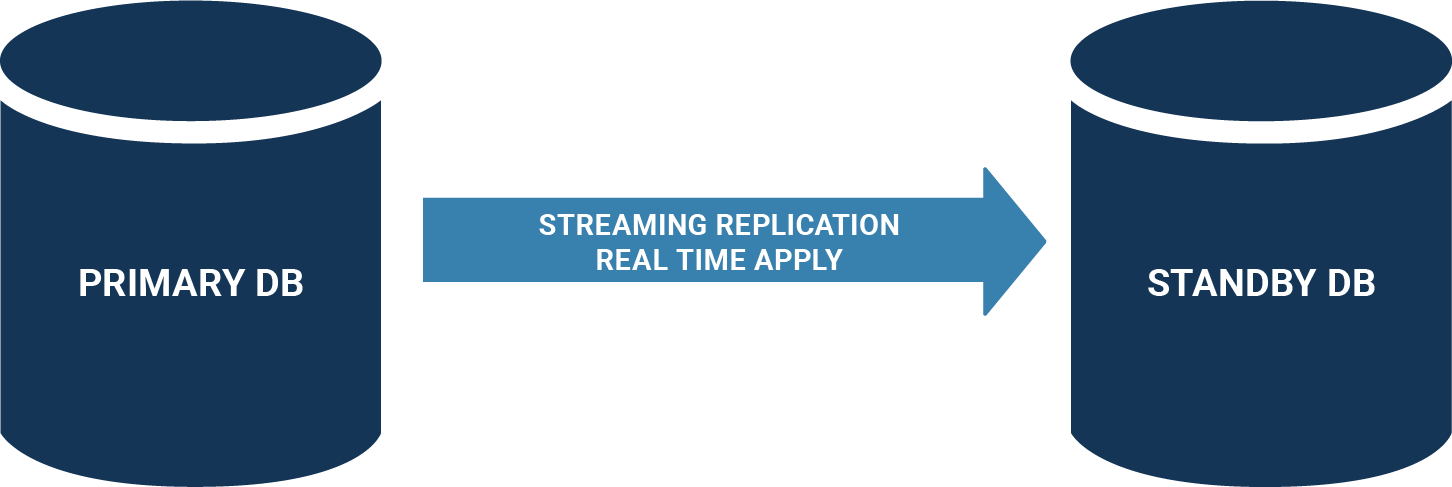
PostgreSQL offers two replication models: streaming replication and logical replication. What follows covers streaming replication on PostgreSQL 13, targeting an asynchronous primary-to-secondary setup.
The reference environment runs CentOS 8.3 across two virtual machines; the same steps are expected to apply on RHEL. The primary listens on 10.0.3.200 (node1) and the secondary on 10.0.3.201 (node2).
Installing the server software
After the operating system is in place, install PostgreSQL by following the instructions for your platform. Both nodes need the binaries before any replication configuration starts.
|
1 2 3 4 5 6 7 8 9 10 11 |
sudo dnf install -y https://download.postgresql.org/pub/repos/yum/reporpms/EL-8-x86_64/pgdg- redhat-repo-latest.noarch.rpm sudo dnf -qy module disable postgresql sudo dnf install -y postgresql13-server # can be skipped on the 2nd node sudo /usr/pgsql-13/bin/postgresql-13-setup initdb sudo systemctl enable postgresql-13 # can be skipped on the 2nd node sudo systemctl start postgresql-13 |
Verification on node1 looks like this:
|
1 2 3 4 5 6 7 8 9 10 |
[root@node1 ~]# ps axf | grep post 5542 pts/1 S+ 0:00 _ grep --color=auto post 5215 ? Ss 0:00 /usr/pgsql-13/bin/postmaster -D /var/lib/pgsql/13/data/ 5217 ? Ss 0:00 _ postgres: logger 5219 ? Ss 0:00 _ postgres: checkpointer 5220 ? Ss 0:00 _ postgres: background writer 5221 ? Ss 0:00 _ postgres: walwriter 5222 ? Ss 0:00 _ postgres: autovacuum launcher 5223 ? Ss 0:00 _ postgres: stats collector 5224 ? Ss 0:00 _ postgres: logical replication launcher |
At this point node1 is a fully working instance and node2 is prepared to become the replica.
Preparing the primary
Four changes are required on the primary:
- Set the bind addresses in
postgresql.conf - Create a dedicated replication user
- Permit remote access in
pg_hba.conf - Restart the server
Binding and authentication
The main configuration file usually lives at /var/lib/pgsql/13/data/postgresql.conf, but PostgreSQL can report its own location if you are unsure:
|
1 2 3 4 5 6 7 8 9 10 |
[root@node1 ~]# su - postgres [postgres@node1 ~]$ psql postgres psql (13.2) Type 'help' for help. postgres=# SHOW config_file; config_file ---------------------------------------- /var/lib/pgsql/13/data/postgresql.conf (1 row) |
Set the following parameter:
listen_addresses = '*'
By default PostgreSQL binds to localhost only, which blocks remote connections regardless of what pg_hba.conf says. listen_addresses controls the bind addresses of the service and is a prerequisite for any remote access.
Next, create the user that will stream the transaction log:
|
1 2 |
postgres=# CREATE USER repuser REPLICATION; CREATE ROLE |
A password may be set as well. The essential point is that the user carries the REPLICATION flag, which removes the need to stream the transaction log as a superuser.
Access control is handled in pg_hba.conf, which decides who may connect from which address. Add the line:
host replication repuser 10.0.3.201/32 trust
This allows repuser from the replica (10.0.3.201) to log in and stream WAL from the primary (10.0.3.200).
Because listen_addresses changed, the primary must be restarted. A change confined to pg_hba.conf needs only a reload:
|
1 2 3 |
[postgres@node1 ~]$ exit logout [root@node1 ~]# systemctl restart postgresql-13 |
Creating the replica
The replica process starts from a stopped service and an empty data directory. Stop the service first:
|
1 |
[root@node2 ~]# systemctl stop postgresql-13 |
Then clear the data directory:
|
1 2 3 4 5 6 |
[root@node2 ~]# cd /var/lib/pgsql/13/data/ [root@node2 data]# ls PG_VERSION global pg_dynshmem pg_logical pg_replslot pg_stat pg_tblspc pg_xact postmaster.opts base log pg_hba.conf pg_multixact pg_serial pg_stat_tmp pg_twophase postgresql.auto.conf current_logfiles pg_commit_ts pg_ident.conf pg_notify pg_snapshots pg_subtrans pg_wal postgresql.conf [root@node2 data]# rm -rf * |
Skipping initdb during installation makes this step unnecessary, but it is required when converting an existing server into a replica.
|
1 2 3 4 5 |
[root@node2 data]# su postgres bash-4.4$ pwd /var/lib/pgsql/13/data bash-4.4$ pg_basebackup -h 10.0.3.200 -U repuser --checkpoint=fast -D /var/lib/pgsql/13/data/ -R --slot=some_name -C |
pg_basebackup connects to the primary as repuser and copies all data files. Instructing PostgreSQL to checkpoint promptly lets the copy start without delay. The -D flag names the destination directory on the replica, and -R configures replication automatically.
A replication slot was also created. Without one, the primary may recycle WAL the replica has not yet consumed, which causes the replica to fail; the slot guarantees that recycling happens only after the replica has consumed the WAL.
Inspect the result:
|
1 2 3 4 5 6 7 8 9 10 11 12 13 14 15 16 17 18 19 20 21 22 23 24 25 26 27 28 29 |
bash-4.4$ ls -l total 196 -rw-------. 1 postgres postgres 3 Feb 12 09:12 PG_VERSION -rw-------. 1 postgres postgres 224 Feb 12 09:12 backup_label -rw-------. 1 postgres postgres 135413 Feb 12 09:12 backup_manifest drwx------. 5 postgres postgres 41 Feb 12 09:12 base -rw-------. 1 postgres postgres 30 Feb 12 09:12 current_logfiles drwx------. 2 postgres postgres 4096 Feb 12 09:12 global drwx------. 2 postgres postgres 32 Feb 12 09:12 log drwx------. 2 postgres postgres 6 Feb 12 09:12 pg_commit_ts drwx------. 2 postgres postgres 6 Feb 12 09:12 pg_dynshmem -rw-------. 1 postgres postgres 4598 Feb 12 09:12 pg_hba.conf -rw-------. 1 postgres postgres 1636 Feb 12 09:12 pg_ident.conf drwx------. 4 postgres postgres 68 Feb 12 09:12 pg_logical drwx------. 4 postgres postgres 36 Feb 12 09:12 pg_multixact drwx------. 2 postgres postgres 6 Feb 12 09:12 pg_notify drwx------. 2 postgres postgres 6 Feb 12 09:12 pg_replslot drwx------. 2 postgres postgres 6 Feb 12 09:12 pg_serial drwx------. 2 postgres postgres 6 Feb 12 09:12 pg_snapshots drwx------. 2 postgres postgres 6 Feb 12 09:12 pg_stat drwx------. 2 postgres postgres 6 Feb 12 09:12 pg_stat_tmp drwx------. 2 postgres postgres 6 Feb 12 09:12 pg_subtrans drwx------. 2 postgres postgres 6 Feb 12 09:12 pg_tblspc drwx------. 2 postgres postgres 6 Feb 12 09:12 pg_twophase drwx------. 3 postgres postgres 60 Feb 12 09:12 pg_wal drwx------. 2 postgres postgres 18 Feb 12 09:12 pg_xact -rw-------. 1 postgres postgres 335 Feb 12 09:12 postgresql.auto.conf -rw-------. 1 postgres postgres 28014 Feb 12 09:12 postgresql.conf -rw-------. 1 postgres postgres 0 Feb 12 09:12 standby.signal |
Alongside the copied data, pg_basebackup created the standby.signal file, which marks the instance as a replica, and adjusted postgresql.auto.conf with the settings the replica needs to connect back to the primary:
|
1 2 3 4 5 6 7 |
bash-4.4$ cat postgresql.auto.conf # Do not edit this file manually! # It will be overwritten by the ALTER SYSTEM command. primary_conninfo = 'user=repuser passfile=''/var/lib/pgsql/.pgpass'' channel_binding=prefer host=10.0.3.200 port=5432 sslmode=prefer sslcompression=0 ssl_min_protocol_version=TLSv1.2 gssencmode=prefer krbsrvname=postgres target_session_attrs=any' primary_slot_name = 'some_name' |
Starting and verifying the replica
Start the replica with systemctl:
|
1 2 3 4 5 6 7 8 9 10 11 12 |
bash-4.4$ exit exit [root@node2 data]# systemctl start postgresql-13 [root@node2 data]# ps axf | grep post 36394 pts/1 S+ 0:00 _ grep --color=auto post 36384 ? Ss 0:00 /usr/pgsql-13/bin/postmaster -D /var/lib/pgsql/13/data/ 36386 ? Ss 0:00 _ postgres: logger 36387 ? Ss 0:00 _ postgres: startup recovering 000000010000000000000007 36388 ? Ss 0:00 _ postgres: checkpointer 36389 ? Ss 0:00 _ postgres: background writer 36390 ? Ss 0:00 _ postgres: stats collector 36391 ? Ss 0:00 _ postgres: walreceiver streaming 0/7000148 |
Confirm the processes are running and, in particular, that walreceiver is present — it fetches WAL from the primary, and its absence means the setup has failed. Also confirm the service is enabled.
Monitoring matters once the setup is live; a dedicated tool can handle this professionally. Checking the primary:
|
1 2 3 4 5 6 7 8 9 10 11 12 13 14 15 16 17 18 19 20 21 22 23 24 25 26 27 28 29 |
[root@node1 ~]# su - postgres [postgres@node1 ~]$ psql postgres psql (13.2) Type 'help' for help. postgres=# x Expanded display is on. postgres=# SELECT * FROM pg_stat_replication ; -[ RECORD 1 ]----+------------------------------ pid | 6102 usesysid | 16385 usename | repuser application_name | walreceiver client_addr | 10.0.3.201 client_hostname | client_port | 34002 backend_start | 2021-02-12 09:27:59.53724-05 backend_xmin | state | streaming sent_lsn | 0/7000148 write_lsn | 0/7000148 flush_lsn | 0/7000148 replay_lsn | 0/7000148 write_lag | flush_lag | replay_lag | sync_priority | 0 sync_state | async reply_time | 2021-02-12 09:29:49.783076-05 |
A row in pg_stat_replication shows that WAL is flowing from the primary to a secondary. Checking the replica:
|
1 2 3 4 5 6 7 8 9 10 11 12 13 14 15 16 17 18 19 20 21 22 23 24 25 26 27 28 29 30 31 32 33 34 35 36 |
[root@node2 data]# su - postgres [postgres@node2 ~]$ psql postgres psql (13.2) Type 'help' for help. postgres=# x Expanded display is on. postgres=# SELECT * FROM pg_stat_wal_receiver; -[ RECORD 1 ]---------+-------------------------------------------- pid | 36391 status | streaming receive_start_lsn | 0/7000000 receive_start_tli | 1 written_lsn | 0/7000148 flushed_lsn | 0/7000148 received_tli | 1 last_msg_send_time | 2021-02-12 09:29:59.683418-05 last_msg_receipt_time | 2021-02-12 09:29:59.674194-05 latest_end_lsn | 0/7000148 latest_end_time | 2021-02-12 09:27:59.556631-05 slot_name | some_name sender_host | 10.0.3.200 sender_port | 5432 conninfo | user=repuser passfile=/var/lib/pgsql/.pgpass channel_binding=prefer dbname=replication host=10.0.3.200 port=5432 fallback_application_name=walreceiver sslmode=prefer sslcompression=0 ssl_min_protocol_version=TLSv1.2 gssencmode=prefer krbsrvname=postgres target_session_attrs=any |
A row in pg_stat_wal_receiver confirms that the WAL receiver exists and that data is moving. Note that the primary's firewall must be disabled in this example — the replica connects on port 5432, and an active firewall blocks that port. A production setup would restrict access more precisely. For choosing between synchronous and asynchronous replication, see the documentation on the trade-offs.


