

Why we moved take-home Rails tests into Codespaces
In early 2021, my team at GitHub was hiring. Our technical screen was a Rails exercise candidates would run locally: make some API improvements to a simple application. The exercise was years old, familiar, and paired with CI and a manual rubric that we understood well. We expected the process to be routine. It wasn’t.
The exercise hadn’t been updated in a couple of years, so it shipped with outdated Ruby and Rails versions. Experienced Rails engineers could power through that. But many candidates burned a large share of their allotted time just getting the local environment running. Some of that could be explained by varying hardware and setups, but that didn’t change the fact that we were measuring the wrong thing. The exercise was meant to mirror the job, not to act as a filter for environment debugging skills. Spending half an interview on setup issues told us almost nothing about how candidates would perform day to day.
We updated the dependencies immediately. That was necessary, but it didn’t solve the core problem: how do you make sure the next team that uses an exercise like this doesn’t repeat the same mistake, and how do you set candidates up for success instead of failure from the start?
Containerized environments as the default
Around that time, GitHub’s Codespaces was gaining traction internally. I’m normally not first in line for a cloud-based development environment. I have a .vimrc that works the way I like it, and I don’t want that touched. But Codespaces was aimed at exactly this category of problem, and it was worth a closer look.
In short, Codespaces provides a cloud-based development environment built on Visual Studio Code’s Remote Containers. From any GitHub repository, you can spin up a remote environment. The Visual Studio Code web interface is instantly available, and so is the desktop editor. Dotfiles and ssh are supported, so terminal-first folks don’t have to abandon their setup.
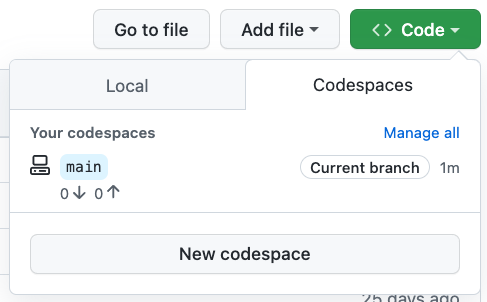
The environment itself is predictable and reproducible. We prebuilt dependencies, and they stayed pinned to those versions until we changed the codespace configuration. That removes an entire category of meaningless friction from the candidate experience. Candidates who prefer to work locally can still do that—adding Codespaces support doesn’t prevent cloning the repository and working natively. But being dropped into a purpose-built environment has a calming effect that matters in an interview context.

What this buys you in interviews
A consistent starting point levels the playing field. No assumptions are made about a candidate’s hardware, operating system, or a corporate laptop’s restrictions. With internet access and a browser, a candidate has everything they need.
Pairing exercises benefit too. Interview pairing is already an anxiety-inducing experience, and nothing aggravates that like a broken local setup. The candidate may be on a work machine running an older Rails version. Their personal machine may be out of disk space after a hobby project. Even if either is a quick fix, it drains energy and focus from the pairing task. Working in a codespace virtually eliminates that risk. The candidate can focus on the exercise, which gives you much better signal on the skills you actually intended to measure.
This has been a meaningful improvement for both candidates and interviewers. Visual Studio Code has good tooling for adding Codespaces support to an existing project, and you can likely have a working integration in a single afternoon.



