

Building a community hub with GitHub Discussions
Adopting new collaboration tools within an organization means more than learning the software—it requires building a culture where people feel comfortable sharing knowledge. GitHub Discussions provides a dedicated space for conversations, allowing teams to host ongoing discussions, questions, and ideas without cluttering issues and pull requests that track active work. GitHub itself uses Discussions to connect tens of thousands of community members, run a private maintainers community, and support internal team conversations.
To help organizations of any size replicate that success, GitHub has published GitHub Community-in-a-box: a packaged set of tooling, resources, and guidance for building internal communities of learning at scale on GitHub Discussions.
When Discussions makes sense
Discussions suit teams that are still exploring direction, need broader feedback, or want to keep general conversation separate from actionable tracking. Use cases include:
- Discovery-phase work where you are still determining which direction to take.
- Collecting feedback from a wider community about a project.
- Keeping bug fixes and feature requests distinct from general Q&A.
- Gauging interest in new ideas with polls.
Setting up your community
Based on experience running the GitHub Community Discussions, a few practices help new communities get off the ground.
Grant permissions early
Identify helpful community members and give them moderator or maintainer permissions. Distributing moderation duties keeps the space healthy and well-guided as it scales.
Organize with categories
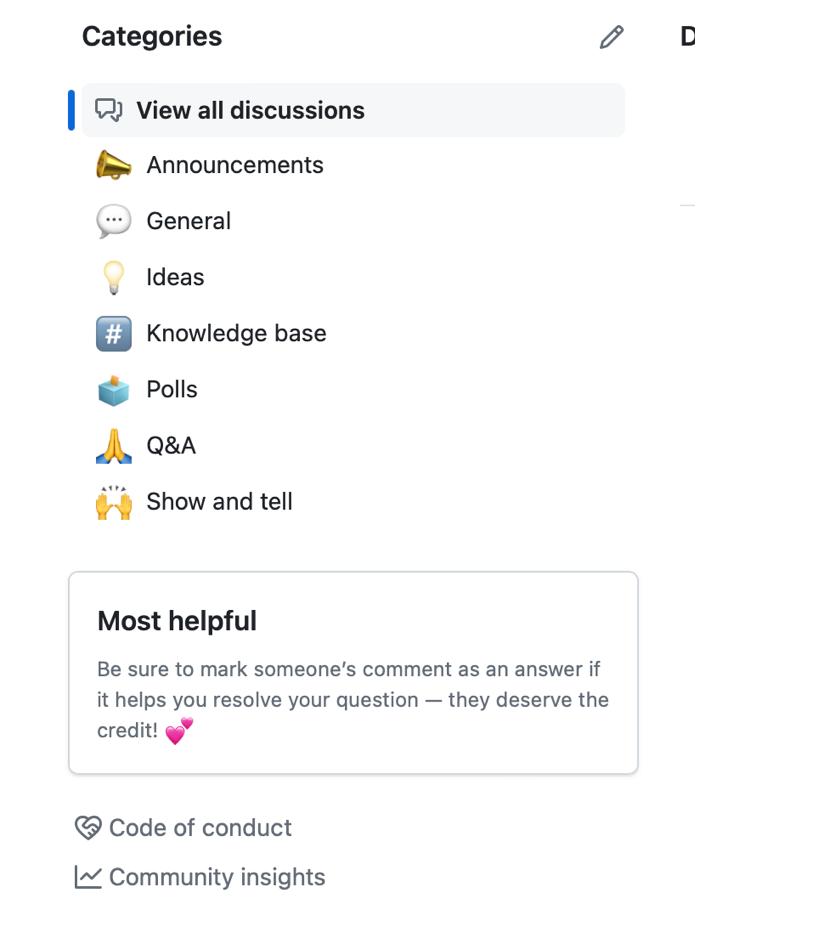
Group likely topics into categories so discussions stay structured and easy to navigate. GitHub Discussions ships with sensible defaults:
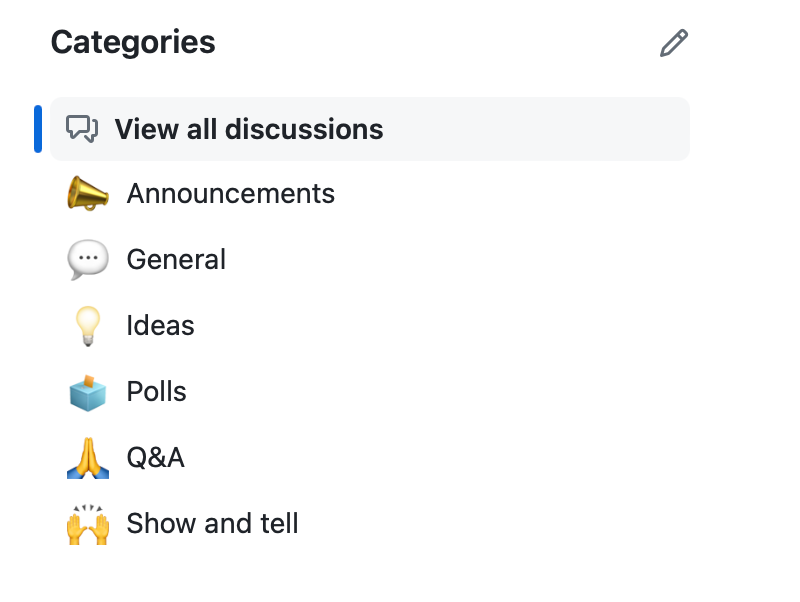
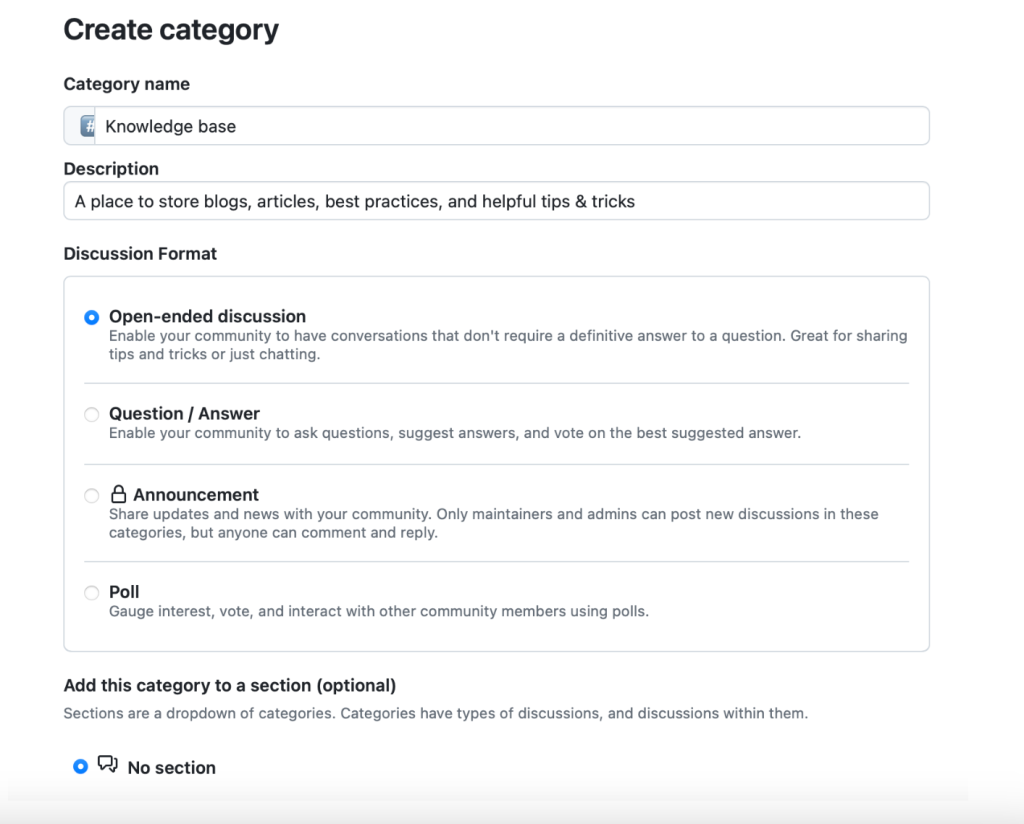
Additional categories take seconds to create as community needs evolve.
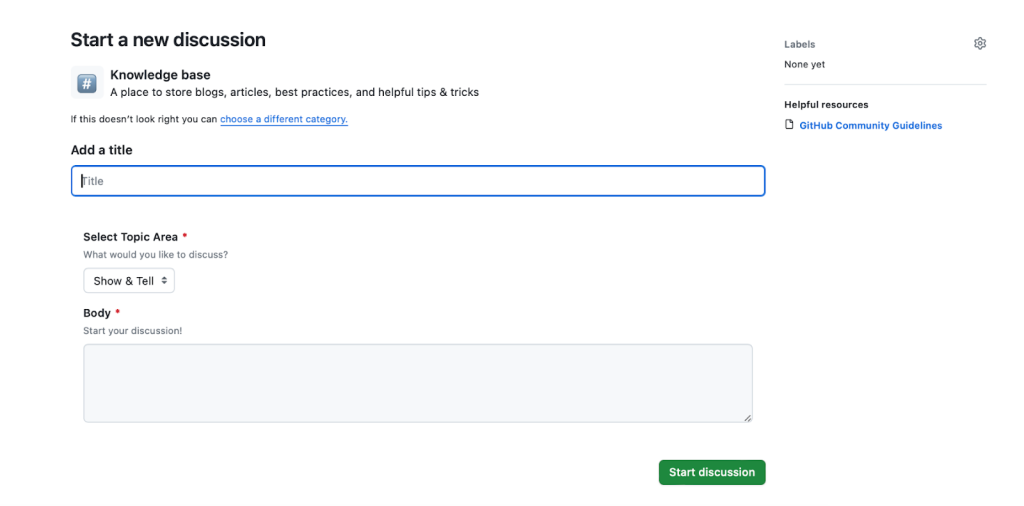
Structure contributions with category forms
Discussion forms in your repository prompt members for specific information when starting a new thread. For example, a category form for a Knowledge base category can require certain fields before a post is submitted:
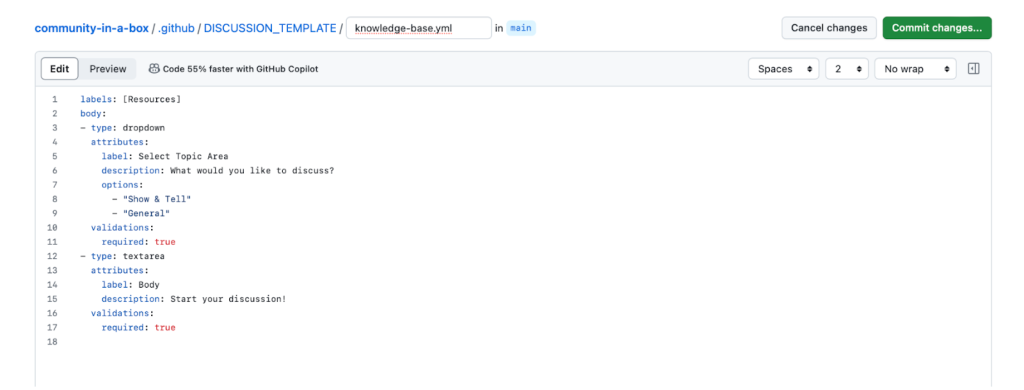
After committing, new discussions in that category present the structured form.
Layer on labels
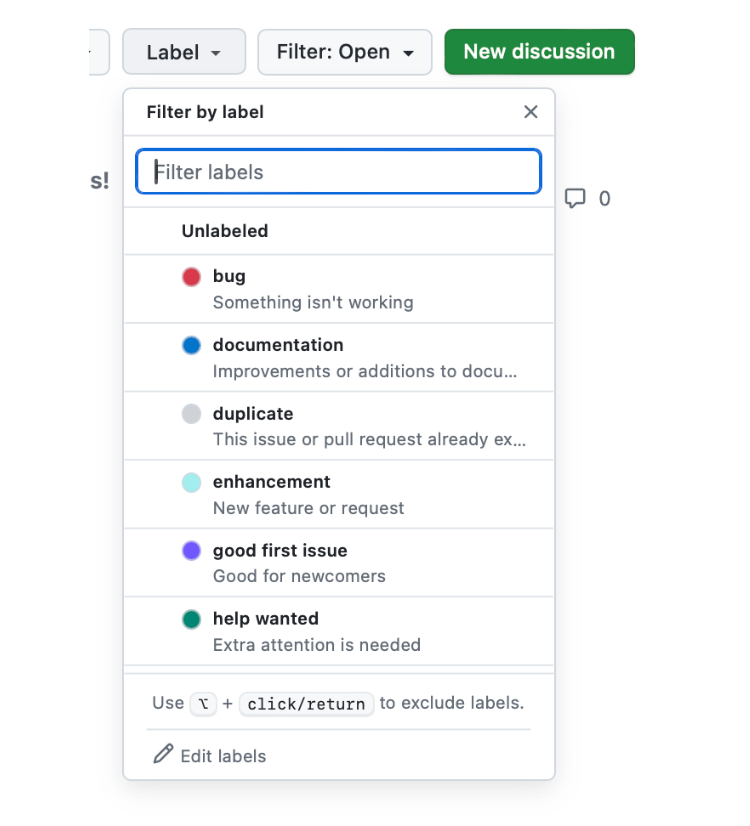
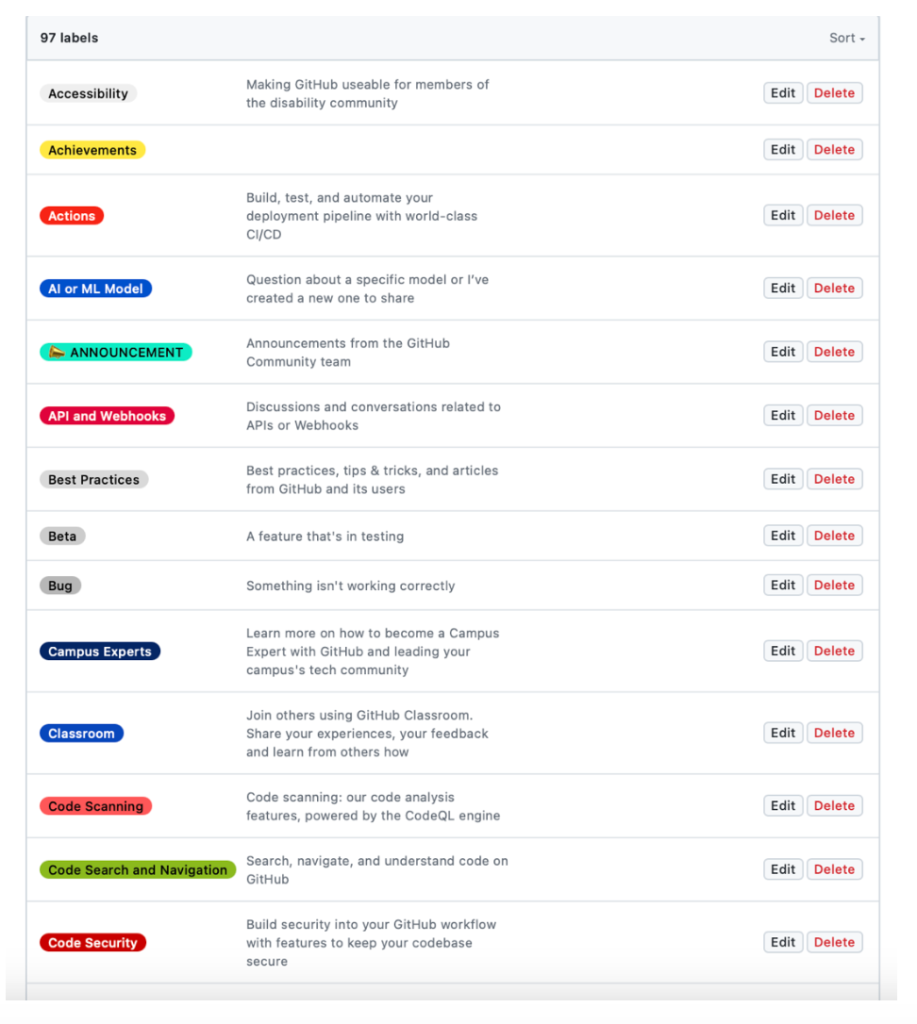
Labels provide finer-grained organization than categories—by format (question, bug report, feature request) or topic (GitHub Actions, Copilot, Codespaces). The default set covers common cases:
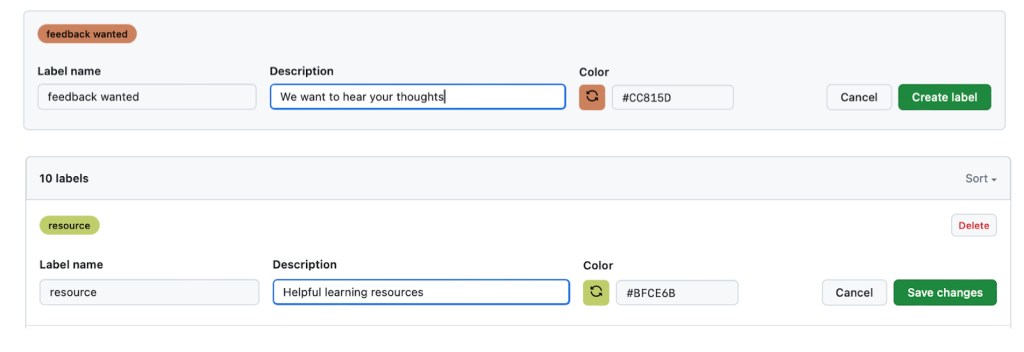
You can complement these defaults with community-specific labels for better filtering and clearer analytics:
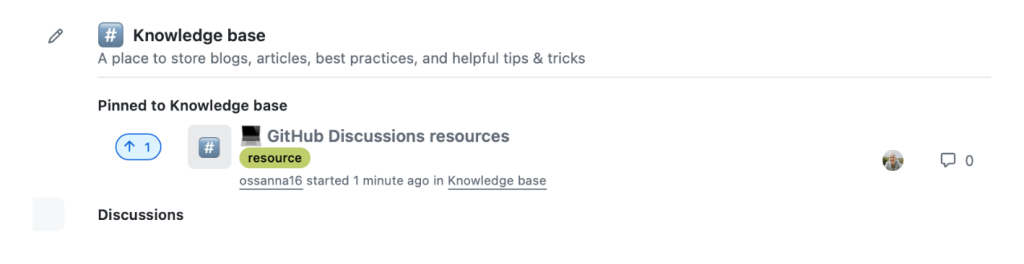
Pin what matters
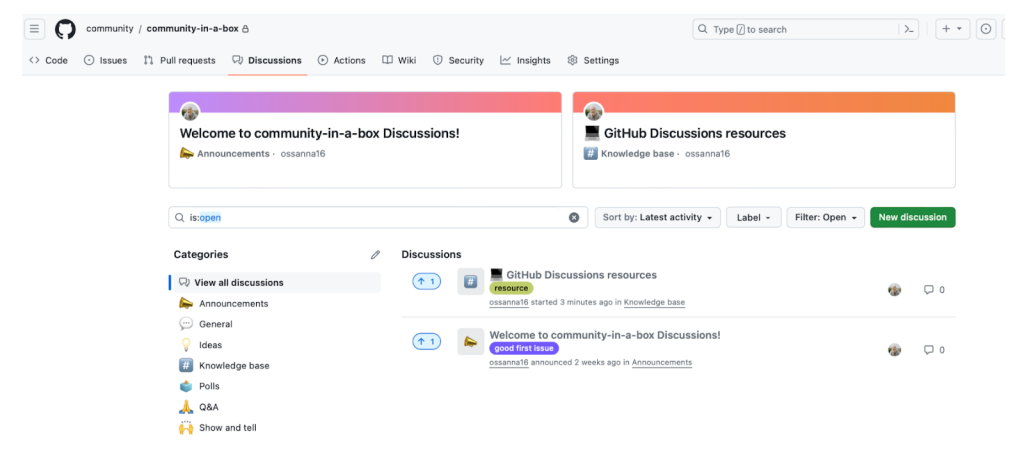
Pin important posts either globally for the repository or within a specific category. Globally pinned discussions appear alongside category-pinned ones.
Practical moderation
Community health depends heavily on moderation discipline. These tactics help you maintain engagement without burning out your team.
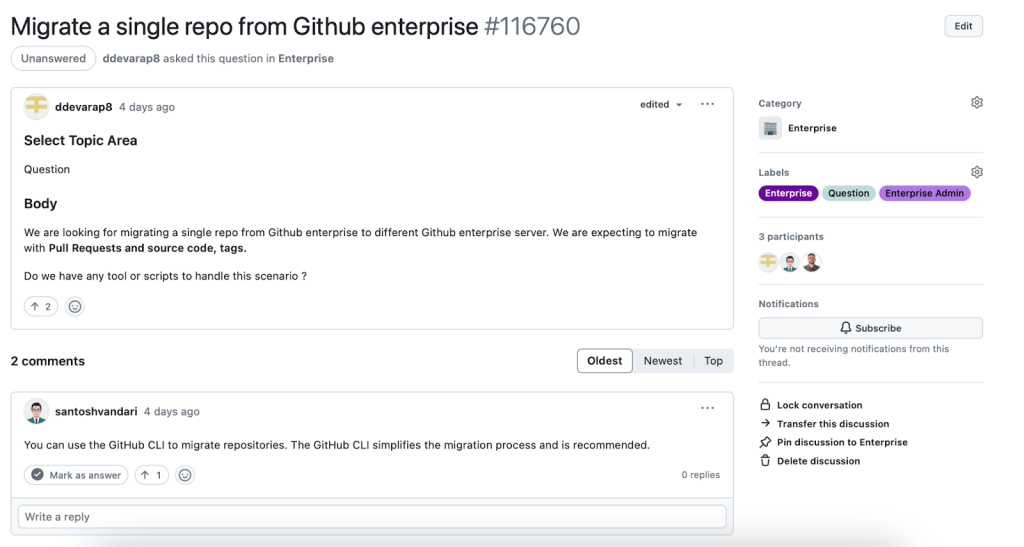
Keep response times reasonable
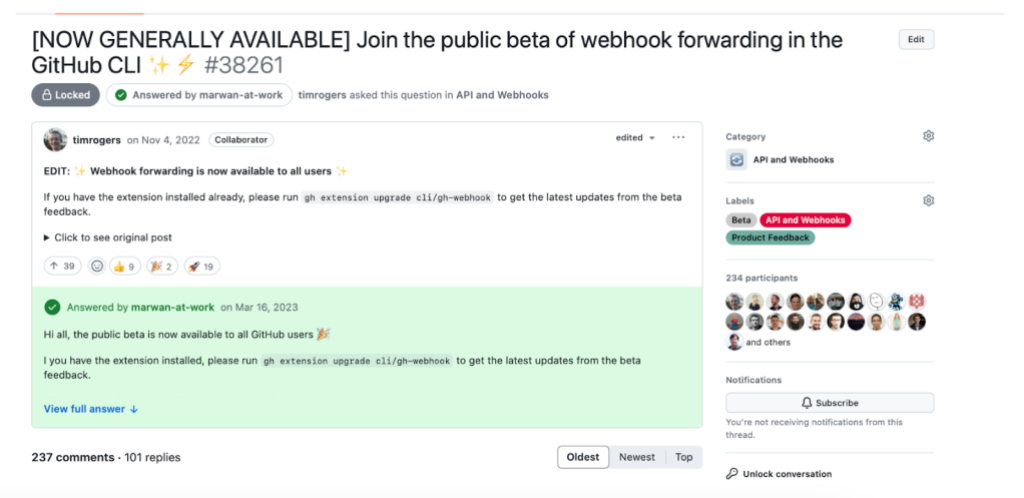
Members return to communities where questions get answered. Assign dedicated moderators per category based on daily discussion volume, and commit to responding within a reasonable window—GitHub aims for this in its own community, as shown in this example thread.
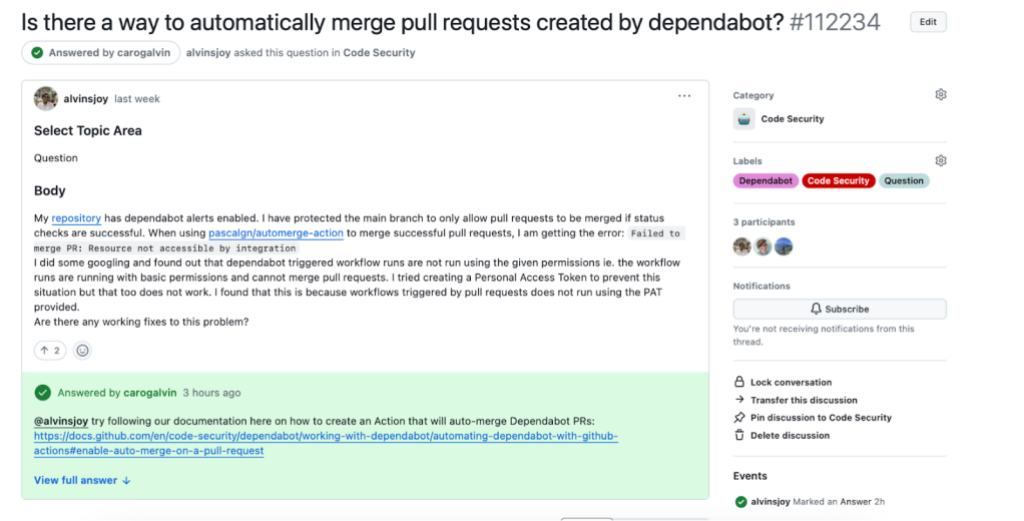
Mark answers
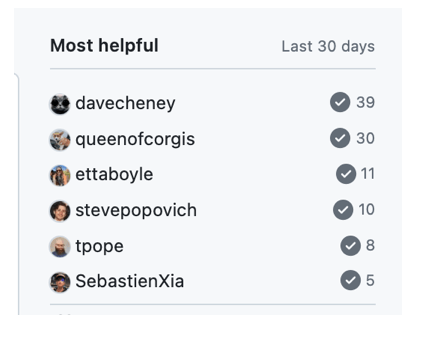
When a question is resolved, mark the best comment as the answer. This: Helps other members find solutions faster Boosts the contributor's standing in the "Most helpful" leaderboard (based on the number of marked answers)
Handle spam and conflict
Spam is less common in internal communities, but off-topic posts or heated exchanges do happen. Start with a warning and hide offending discussions. For repeat offenses, consider blocking users from the community entirely. A Code of Conduct—like the widely adopted Contributor Covenant—adds community standards and defines abuse-handling procedures. Once a Code of Conduct is committed to the repository, it automatically links from Discussions.
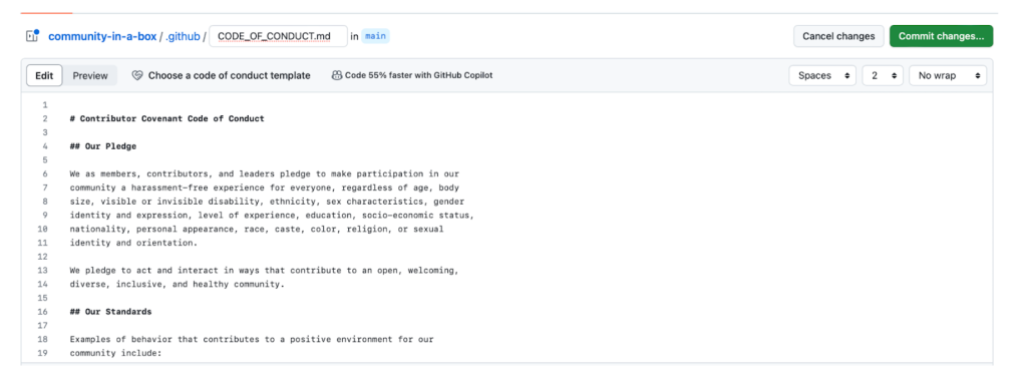
Other community health files may also be worth creating for your audiences' specific needs.
More moderation levers
- Lock discussions when you want read-only mode: for example, once a feature request has gathered enough feedback.
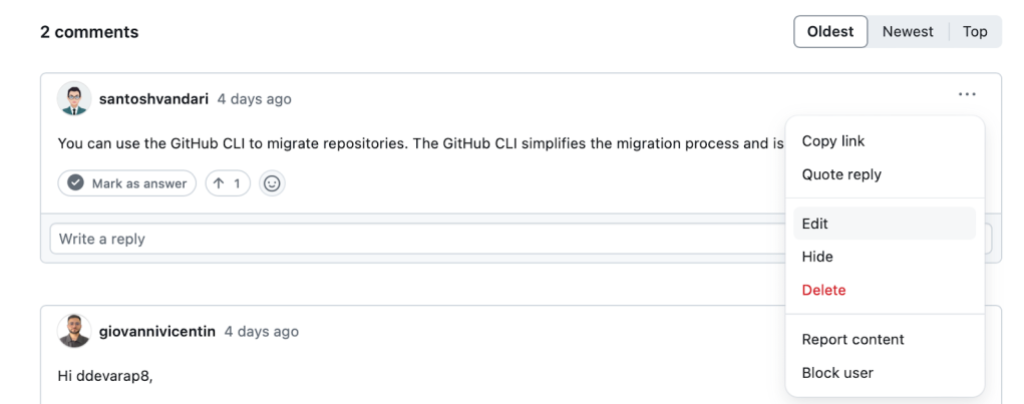
- Edit or delete comments that contain inappropriate or confidential material.
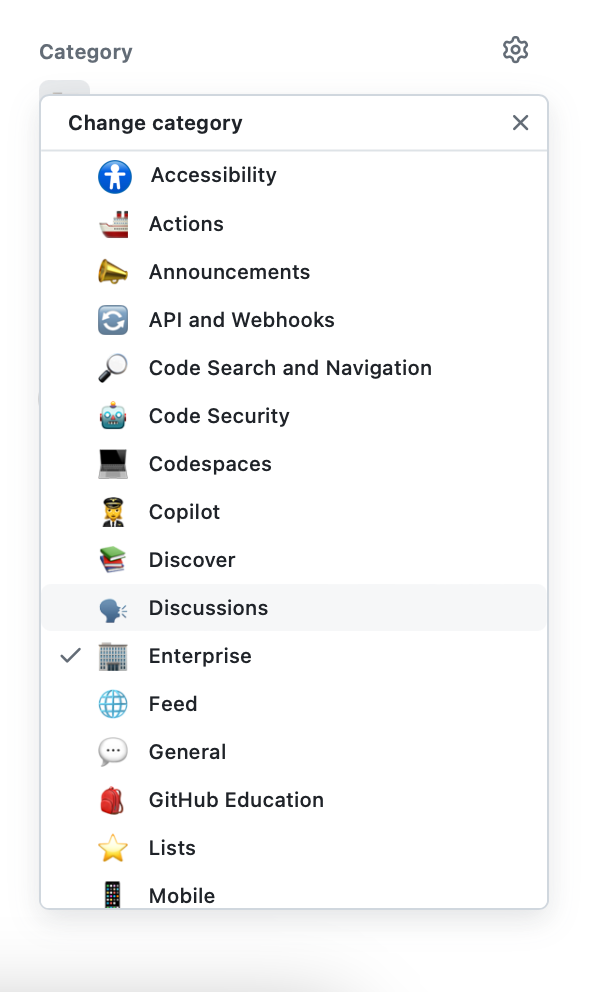
- Recategorize posts when members post in the wrong category, keeping the space tidy.
- Apply labels consistently. A rich label taxonomy clusters related content, simplifies filtering, and improves insights from your data. The GitHub Community discussions' labels are a good inspiration source.
Going beyond the basics
Once the fundamentals are in place, these extras strengthen community engagement and make your space more valuable to members.
Welcome new members
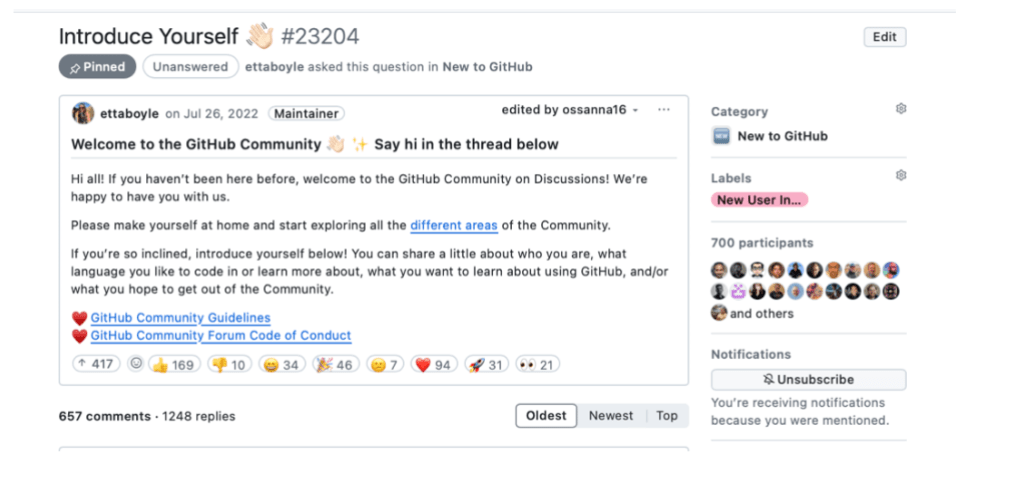
Send new members a personal note and point them to an "Introduce Yourself" thread or similar. Pin that thread topically or globally. These small gestures make first-time contributions easy and warm.
Recognize active contributors
Members who answer well and keep communities alive deserve recognition. Highlight them in posts or spotlight the top participants from the Most helpful leaderboard, which tracks contributions over the previous 30 days. Forums from GitHub Community are the clearest example:
Mine Discussion insights
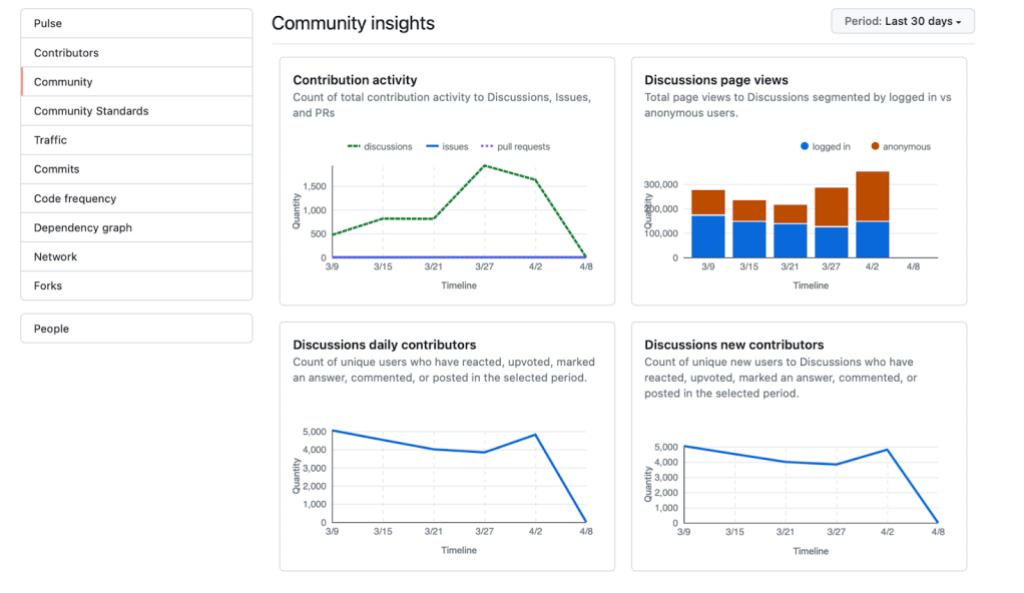
Discussions insights report page views, activity, and growth metrics. Tracks popular categories and top weekly posts inform your content choices—use them to identify problem areas and hot topics among your members.
Sustain momentum with your own content
Publish content that sparks engagement and builds your knowledge base. Formats that work well include monthly check-ins, AMAs (Ask Me Anything), product update posts, and posts from subject matter experts that explore trends and best practices.
The resource toolbox
GitHub is filled with examples of communities at scale. For extra help launching and running your own Discussions space:



