

Know your topic, then make the case
Every technical conference content committee faces the same problem: a flood of submissions, most of them technically sound but few that feel like a can’t-miss session. The gap between a proposal that gets accepted and one that gets passed over usually isn’t about expertise. It’s about how clearly you communicate your idea and why it matters to the people reviewing it.
Here are four practical steps to build a submission that stands out, whether it’s your first time speaking or your tenth.
Pick a topic you genuinely care about
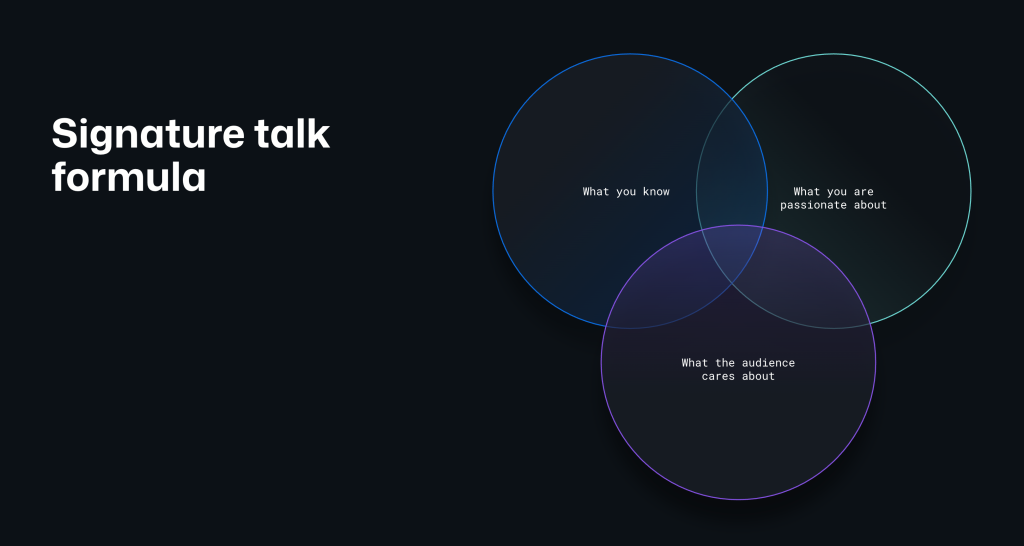
Reviewers can tell the difference between a proposal written because the topic is trending and one written because the author genuinely wants to share something. Passion shows up in the writing, in the staging of the talk, and in the delivery. It’s the difference between reciting information and teaching.
Skip the trend-chasing. Instead, look for the stories only you can tell: a side project that solved a frustrating problem, a migration your team pulled off against the odds, or an unexpected lesson from scaling developer experience. Authenticity reads better than polish, and committees want speakers who care about the material, not just the speaking credit.
If it’s a topic you would happily explain to a colleague over lunch, it’s probably worth submitting.
Write a title that does the work
A title is the first thing a reviewer sees, and it typically determines whether they open your full proposal. Treat it like a subject line: it needs to earn the click. A strong title tells the reader what the talk covers and why that matters, without being vague or resorting to hype.
Using the title of this very article as an example, consider what makes it work:
- Engaging: “Cracking the code” signals an inside approach and sparks curiosity.
- Clear: “How to wow the acceptance committee at your next tech event” leaves no question about the topic.
- Action-oriented: It promises concrete takeaways, not just abstract ideas.
- Balanced: It sits comfortably between fun and professional.
Steer clear of titles like “A new approach to software” on one end and “This one trick will fix your codebase” on the other. After drafting a title, check it against a simple test: would you attend this session based on the title alone? Can you tell in under five seconds what the talk delivers?
Make approval the easy choice
Content committees want to accept good sessions. Your job is to remove any reason for hesitation by being explicit about what your talk offers. That means addressing the basics directly:
- Name your audience: Who should attend? Senior engineers, platform teams, product leads, open source maintainers?
- State the takeaways: Will people walk away with specific tools, frameworks, or new ways of thinking?
- Connect to the event: Why does this belong on this particular stage, and how does it fit the conference’s themes?
Also think about the shelf life of your content. If your session could become a blog post, a case study, or a video, say so. An abstract that works in a conference program guide is also easier to feature in marketing emails or keynote recaps. And the simplest test: will attendees be able to use what they learned the very next day?
Let your online profile back you up
Your proposal does the heavy lifting, but the committee will likely look you up. What they find helps them gauge your credibility, your speaking experience (or your upside), and how easy it will be to promote you. A massive following isn’t required, but a relevant and current footprint helps.
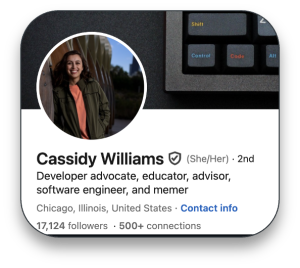
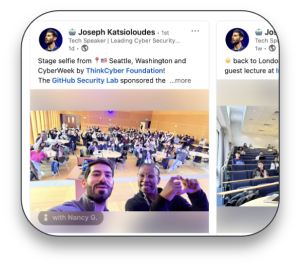
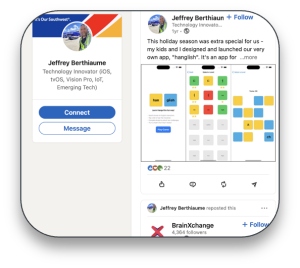
- On LinkedIn, write a headline that describes your expertise, not just your job title. Use the About section to link talks, blog posts, and projects, and record any speaking experience through Experience or Featured sections.
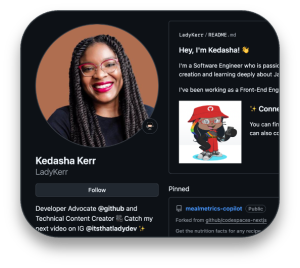
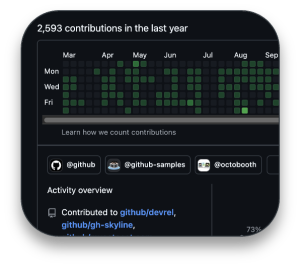
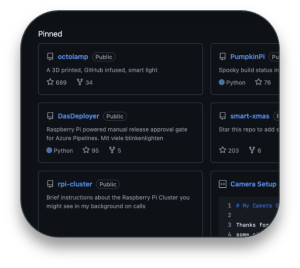
- On GitHub, add a profile README that states your focus areas and links. Pin the repositories you are proudest of or have contributed to, and stay active in discussions even if most of your code lives in private repos.
A practical bonus: post about your submission process. Sharing your experience builds community and can nudge others to apply, which reflects well on you when the committee does their research.
The checklist before you hit submit
- Lead with passion: choose a subject you care about enough to talk about for 30 or 45 minutes straight.
- Craft a sharp title: clear, engaging, and specific enough that the topic and value are obvious in seconds.
- Spell out the value: state the audience, the takeaways, and how the session fits the event agenda.
- Polish your public profile: make sure a quick search supports your credibility and speaking potential.
If you don’t have a session idea in you this cycle, speaker nominations are usually just as welcome. Submit either way—the room for a new voice might be one proposal away.



