Why synchronized testing matters
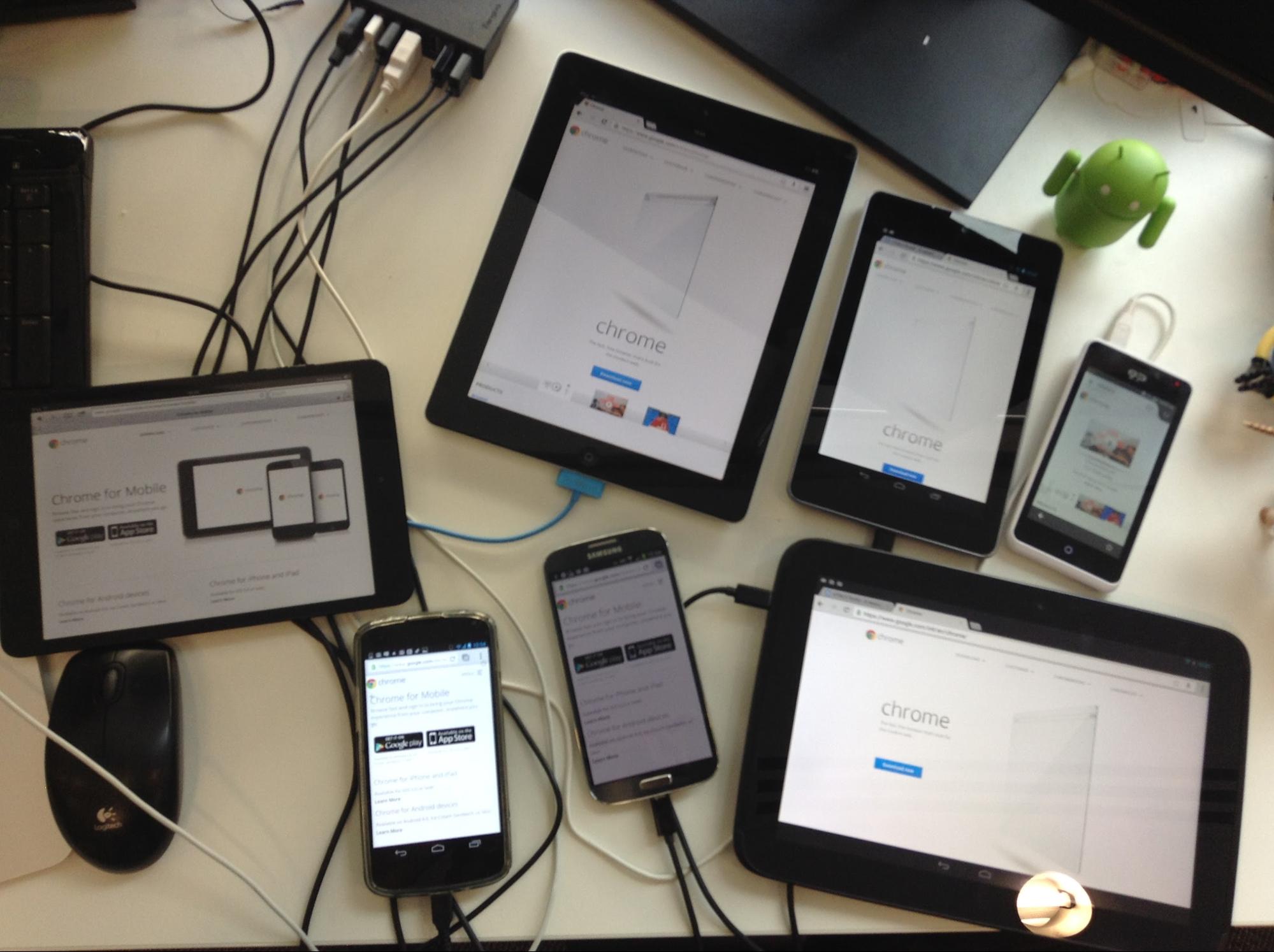
Developers targeting the multi-device web routinely need to verify behavior across a fleet of phones, tablets, and desktop browsers. Doing that manually — loading a URL on each device, then repeating every scroll, tap, and navigation on each screen — is slow and error-prone. Regressions slip through precisely because the routine is so tedious that it does not get done consistently.
Synchronized testing addresses the two most costly parts of that workflow:
- URL syncing. Pushing the page under test to every connected device at once removes the need to type or paste URLs device by device, and makes it less likely that a device is left on an older version of the page.
- Interaction syncing. Mirroring scrolls, clicks, and other gestures across devices means you can observe how a UI responds on multiple viewports simultaneously, without repeating each action per device.
Several tools aim to close the gap between your desktop browser and physical mobile devices. The ones covered here are Ghostlab, Remote Preview, and Adobe Edge Inspect, plus the automation layer provided by Grunt tasks.
Ghostlab: interaction mirroring for real devices
Ghostlab is a Mac application that treats connected mobile devices as an extension of your desktop browser. Once you point it at a local dev URL, any device on your local network can join the test session. The key feature is bi-directional interaction syncing: scrolling and tapping on one device propagates to all others, and the same happens when you interact with the browser window on your desktop.
This works for both connected iOS and Android devices, and the propagation rules are configurable. For example, you can choose which event types — clicks, scrolls, or form input — should be mirrored on which devices. That flexibility matters when you want interaction on one device class without disturbing another, for instance when testing a touch-only gesture that should not fire on desktop.
Ghostlab also provides a shared inspector-like view of the devices in a session, letting you see at a glance which devices are connected and what URL each is displaying. Debugging is supported through console forwarding and a device-specific DOM inspector.
Remote Preview: quick multi-device visual checks
Remote Preview takes a more lightweight approach. It is a tool that captures a screenshot of the current page on your desktop and pushes that image to all connected devices. This makes visual comparison fast, but it stops there: there is no interaction relay.
Because it only pushes a static image, Remote Preview is best suited for checking layout at a glance — for example verifying that no horizontal overflow exists on small screens or that a font renders acceptably. It does not attempt to replace a full interaction testing cycle, and it does not execute JavaScript on the device side, so dynamic content in the screenshot may not reflect what would actually render live.
Adobe Edge Inspect: iterative reload across devices
Adobe Edge Inspect (formerly known as Adobe Shadow) focuses on the reload step of the testing loop. Once the companion apps are installed on your devices and they are on the same Wi-Fi network, any URL you load in the Edge Inspect desktop browser is immediately pushed to all connected devices. Likewise, if you reload the desktop page manually, every device reloads as well.
Edge Inspect also adds a remote inspection panel. From the desktop, you can inspect the DOM and console of any connected device, which is useful when a bug reproduces only on a specific mobile browser. However, as of the version covered here, Edge Inspect does not mirror scrolls or clicks. You can still use it to check interactions manually per device while keeping URLs in sync across them all.
Grunt: wiring sync into automated workflows
For teams already using Grunt as a task runner, there are plugins that bring synchronized testing into build and watch pipelines. One example is the ability to watch source files and trigger a reload across all browser-connected devices in your network. This works in conjunction with live-reload servers rather than replacing them, letting you run a grunt watch loop while devices stay connected and automatically refresh whenever CSS or JS changes are written to disk.
Such a setup is complementary to the dedicated tools above. Grunt gives you the automation and repeatability, while Ghostlab or another interaction-mirroring layer contributes the gesture propagation. If your target matrix includes many distinct devices, the combination of a task runner plus an interaction-sync tool tends to cover more ground than using either alone.
Tooling for synchronized cross-device testing
A handful of established tools streamline the workflow of testing a single page or app across multiple devices at once. They differ mainly in how they propagate changes and how much setup they require per device.
Ghostlab (Mac)
Ghostlab is a commercial Mac application ($49) that synchronizes clicks, navigation, scrolls and form input across devices and desktop browsers with minimal configuration. Once a page is open on each connected browser, any navigation change—including refreshes—propagates to all other connected clients. It also watches local directories, so saving an edit to a local file triggers an immediate refresh everywhere.
Setup is straightforward: install Ghostlab, put the Mac and test devices on the same Wi-Fi network, then add a URL or drag a local folder into the main window. Clicking the play button starts a server reachable at a network-specific IP address, e.g. http://192.168.21.43:8080. Devices connect by pointing their browser at that address—no per-device client install is required.
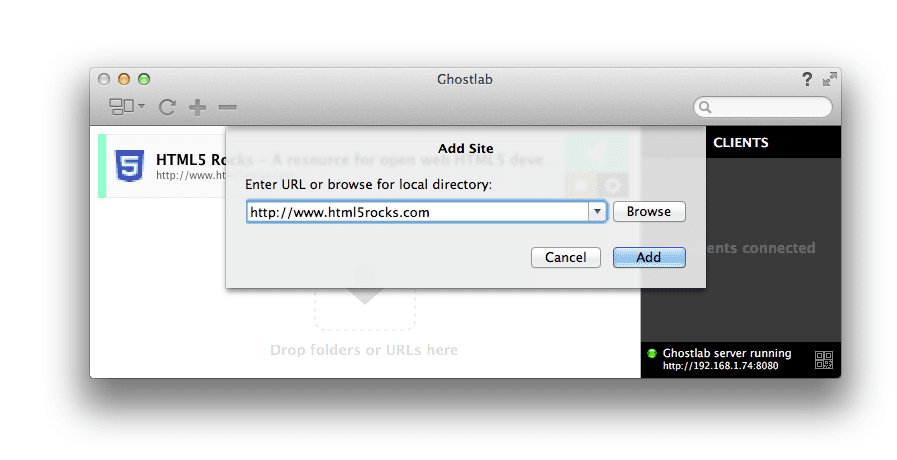
Connected clients appear in the sidebar; double-clicking a device name shows details like screen size and OS. Useful statistics such as the user-agent string, viewport dimensions, device pixel ratio and aspect ratio are available. You can change the base URL under test at any time via the configuration cog next to each entry.
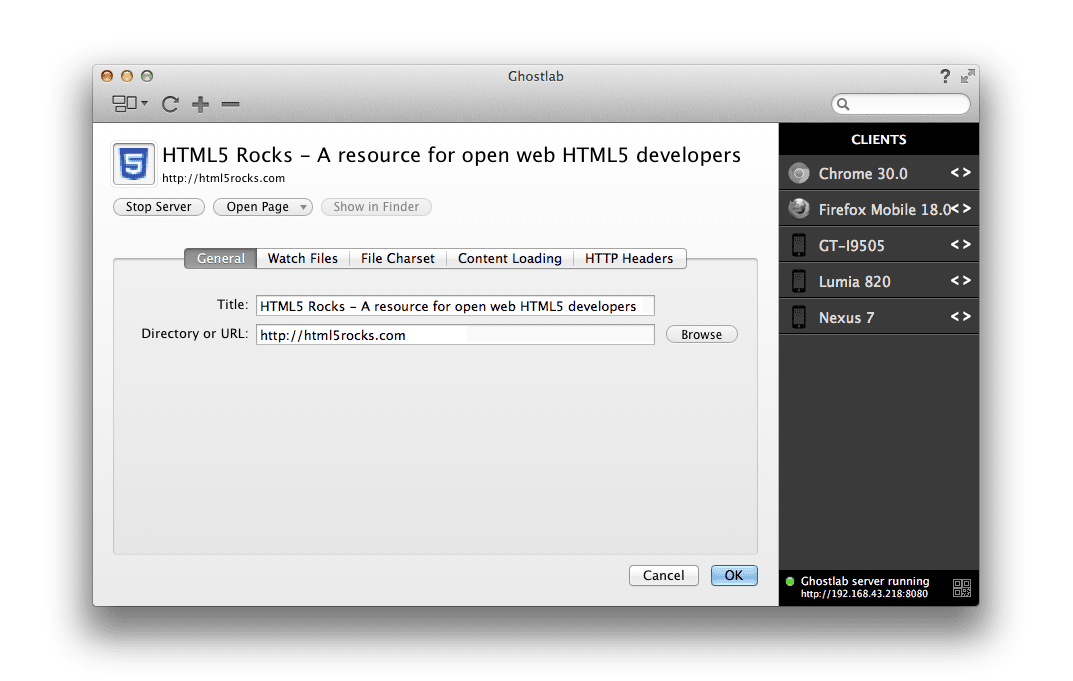
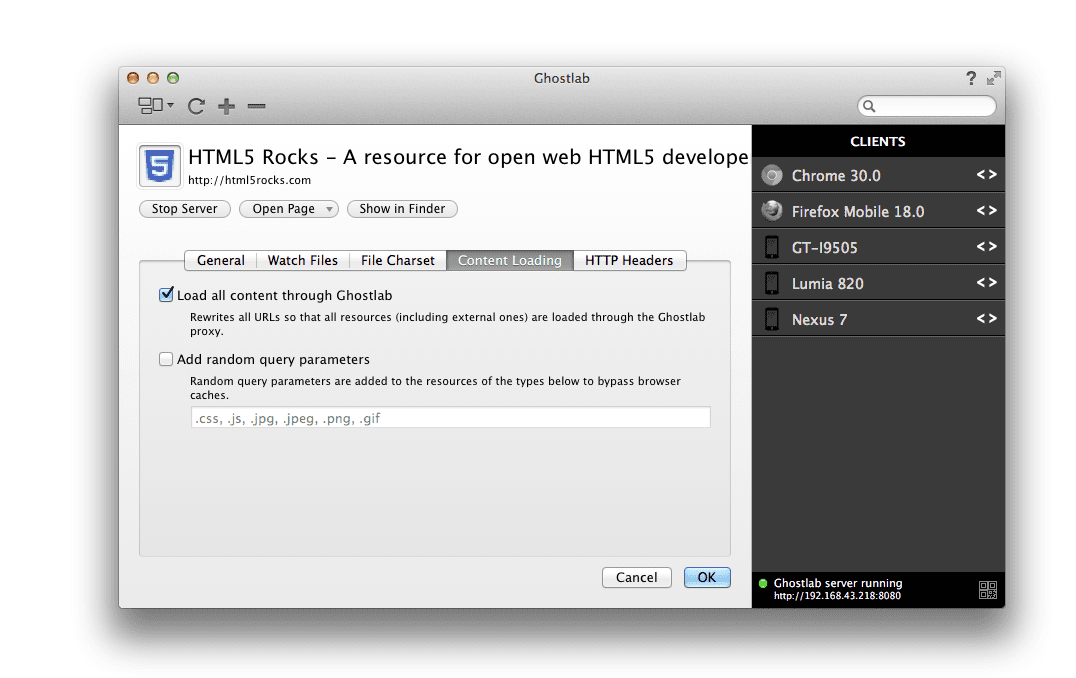
A key feature is link proxy support. Without it, clicking a link on HTML5Rocks would navigate a mobile browser away from the Ghostlab URL, breaking the cross-device sync. Enabling "Load all content through Ghostlab" under the Content Loading tab rewrites link targets so navigation stays seamless on every connected device.
Ghostlab handles multiple sites or windows across any supported browser, which helps test not just resolutions but also behavior across different rendering engines and platforms.
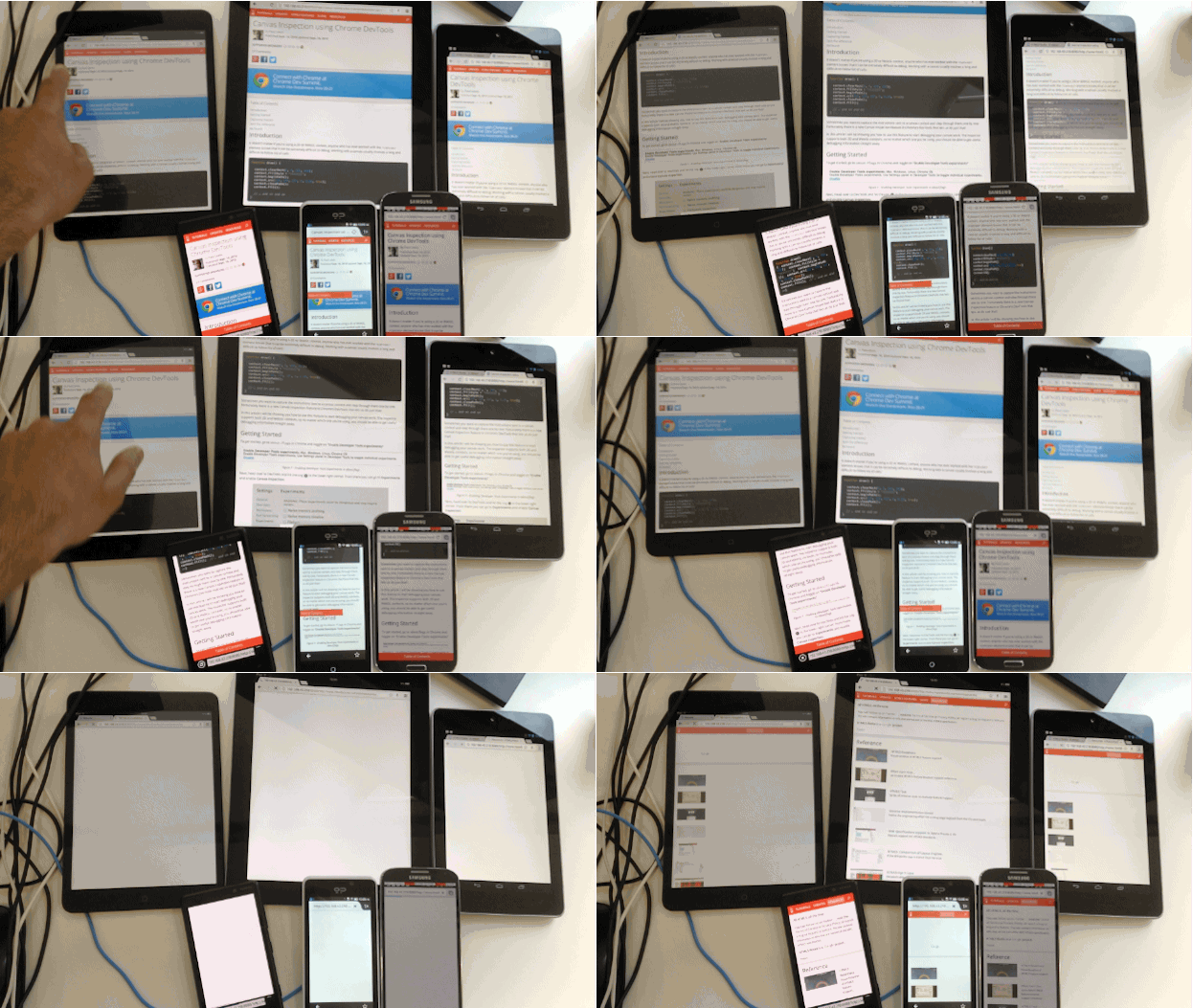
Directory watching is configurable per project workspace. When enabled, changes to files cause all connected clients to refresh automatically.
For debugging, double-clicking a device names brings up a "debug" option that launches an instance of Weinre, a bundled remote web inspector. It allows element selection, style tweaks and script debugging on connected devices, similar to Chrome for Android's remote debugging experience but with fewer DevTools features.
Ghostlab wins on speed of adoption. The main drawbacks are its commercial-license cost and lack of Linux support.
Adobe Edge Inspect CC (Mac, Windows)
Edge Inspect is part of Adobe Creative Cloud and drives iOS, Android and Kindle devices via a Chrome extension. Sign up for a Creative Cloud account, install the desktop app (Mac or Windows only), add the Chrome extension and place the dedicated Edge Inspect client on each mobile device.
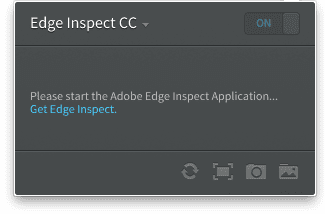
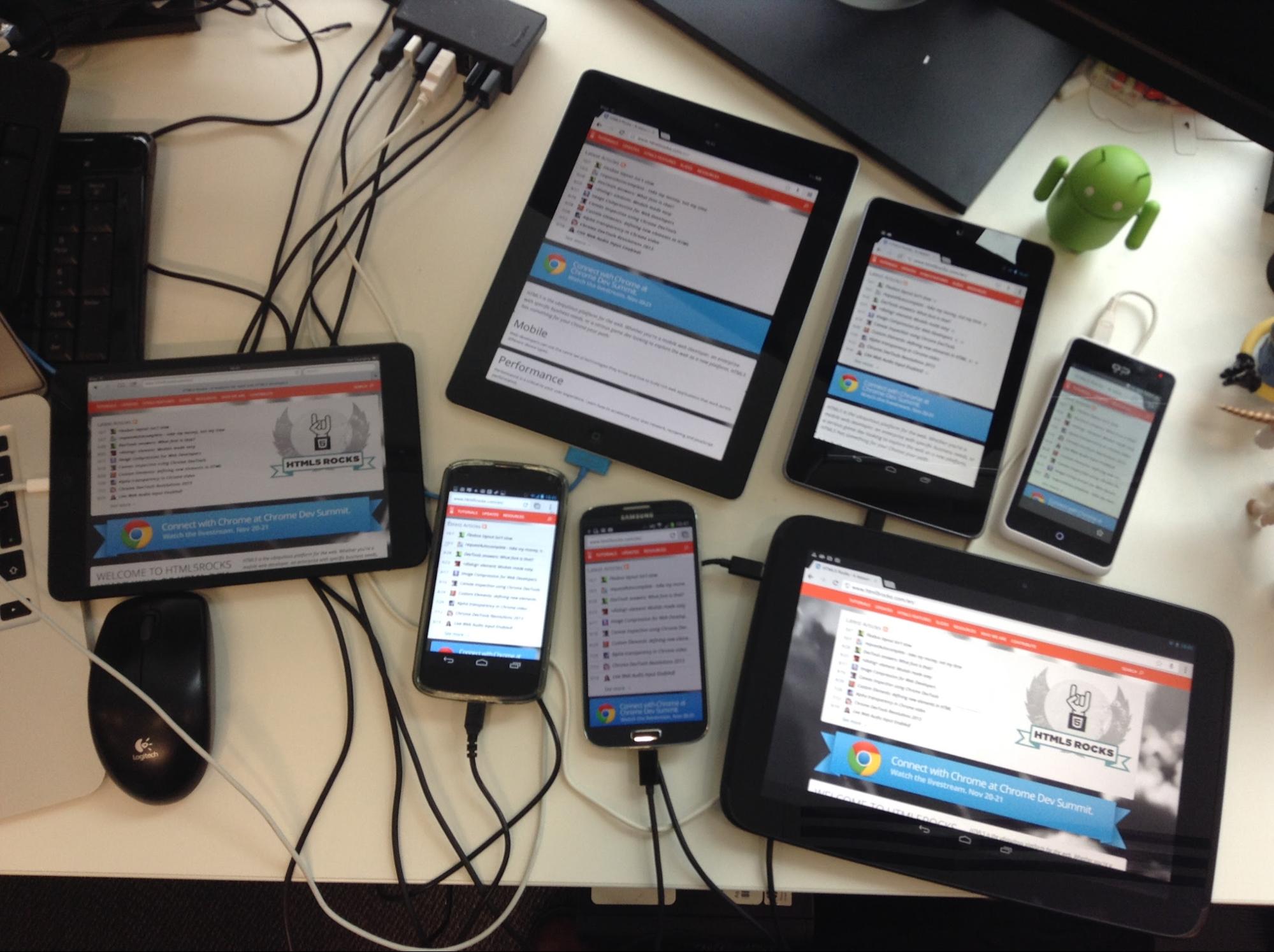
With all components installed and devices on the same network, start the desktop app, enable the Chrome extension and launch the mobile clients. Navigating to a URL in Chrome pushes the same page to every connected device.
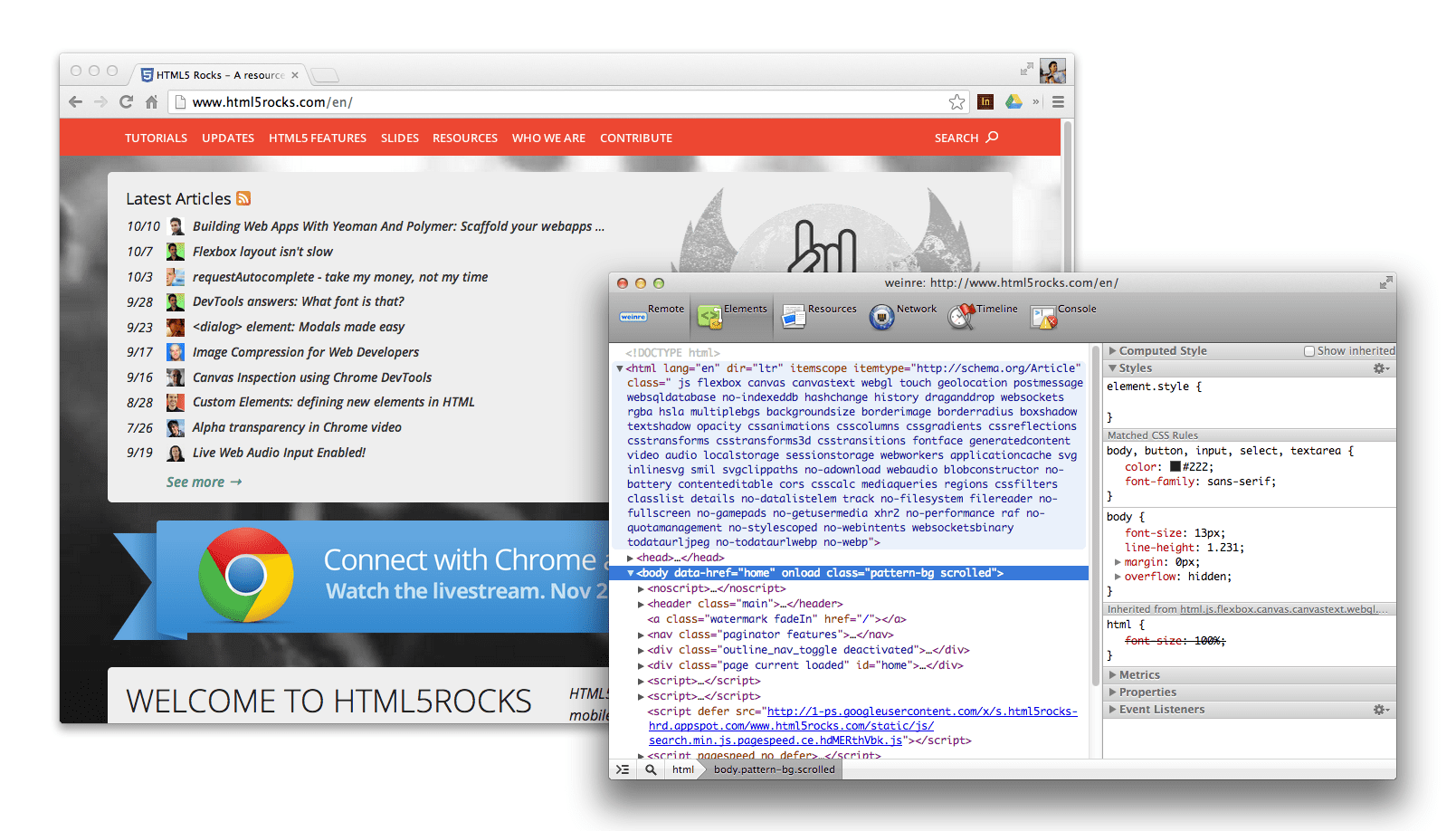
The extension lists connected devices and exposes a Weinre-based debugger via the <> icon. Weinre provides a DOM viewer and console but lacks JavaScript debugging, profiling and the network waterfall found in Chrome DevTools—useful enough for sanity-checking the DOM and script state, but minimal.
Screenshots from connected devices can be generated from the extension, which is convenient for layout tests or sharing page captures.
Edge Inspect suits developers already on a Creative Cloud subscription. The main friction compared to Ghostlab is the need to install a client app on each device and the extra setup steps.
Remote Preview (Mac, Windows, Linux)
Remote Preview is an open-source, host-your-own solution. The driver page runs an XHR poll every 1100ms against a url.txt file; when the file's content changes, the driver updates the src of an iframe loading the target page on every connected device.
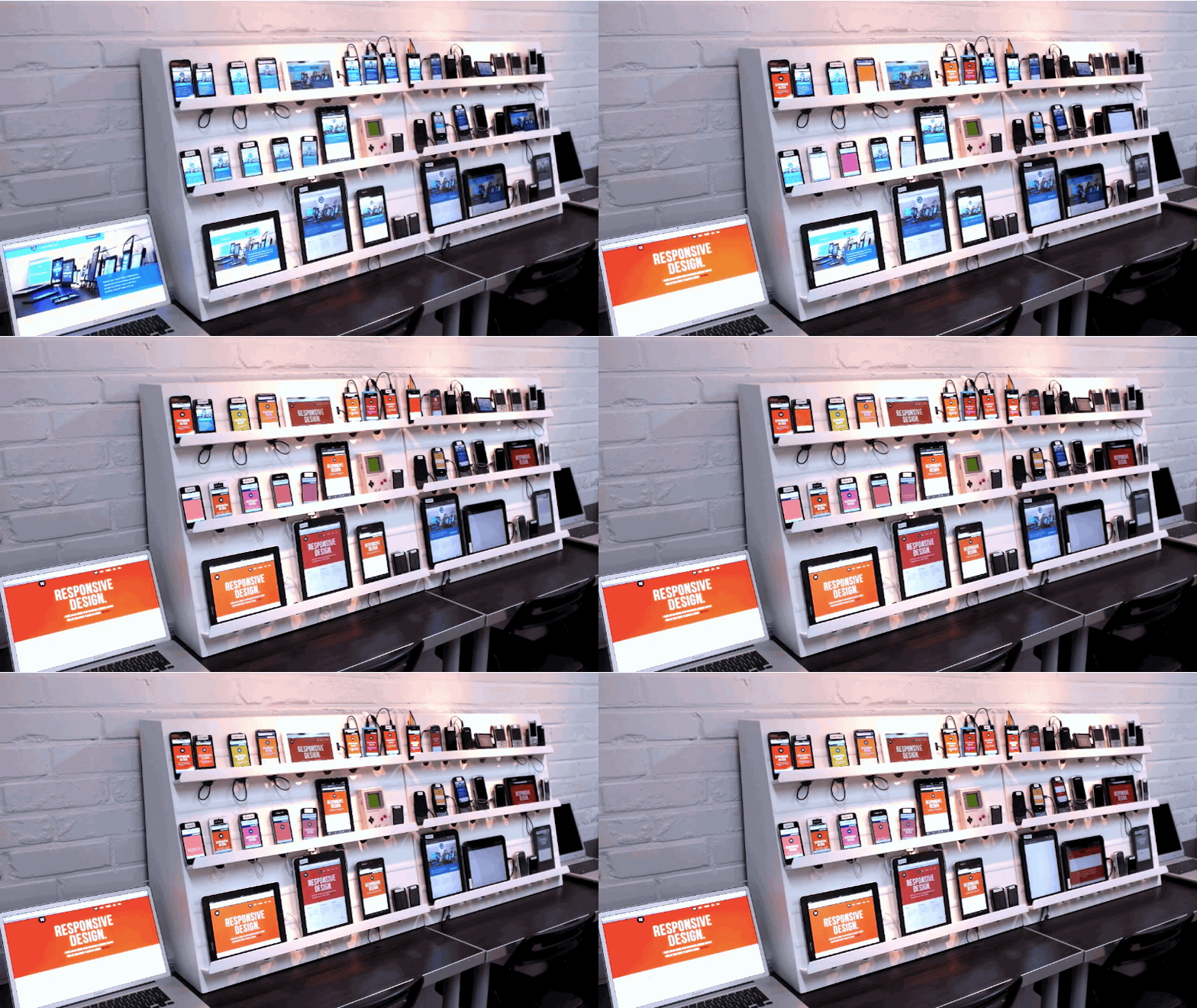
To use it:
- Download Remote Preview and place its files on a locally accessible server (Dropbox, a dev server, etc.).
- Open
index.htmlfrom that location on each target device; it becomes the driver page. - Edit
url.txtwith the URL to preview and save it. - Wait for the poll to detect the change; every device loads the new URL.
It's a no-frills, free approach that still works reliably.
Grunt + Live-Reload (Mac, Windows, Linux)
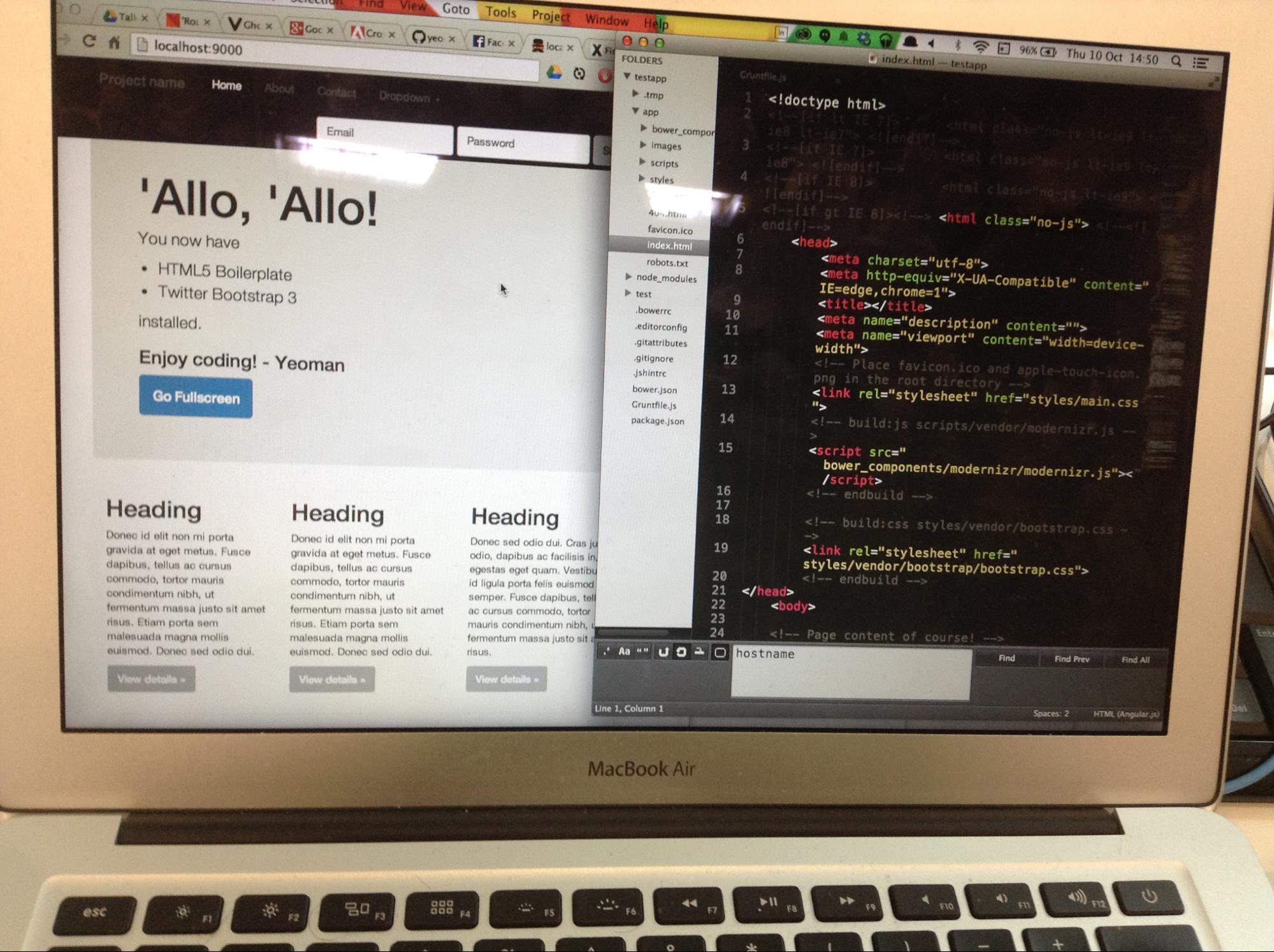
If you already use Grunt or Yeoman with live-reload, enabling cross-device refresh requires a one-line configuration change. In projects scaffolded by Yeoman, the connect task in the Gruntfile sets hostname to localhost; change it to 0.0.0.0 so the server is reachable on the network. Then run grunt server as usual to start the file watcher and refresh logic.
Find your machine's internal IP with ipconfig | grep inet (for example 192.168.32.20). On any mobile device, browse to that IP followed by the dev-server port (e.g. 192.168.32.20:9000). Now editor saves trigger reloads both in the desktop browser and on every connected mobile browser. Yeoman's mobile generator includes this workflow preconfigured.
Emmet LiveStyle
Emmet LiveStyle is a plugin for Chrome, Safari and Sublime Text that provides bi-directional live CSS editing without full page reloads. It pushes style edits over the DevTools remote debugging protocol, so changes made in Sublime Text apply to every connected instance of Chrome, including Chrome for Android.
Its "multi-view mode" applies editor updates to all open windows and device views simultaneously, which suits responsive-design tweaking. To get going:
- Open a CSS file in Sublime Text.
- Load the corresponding page in Chrome and open DevTools.
- Enable the "Enable LiveStyle" option in the LiveStyle panel—DevTools must stay open in each window for the session.
- Associate the stylesheet listed on the left with the corresponding editor file on the right.
The file list updates automatically as you edit, create, open or close files.
Practical takeaways
Cross-device testing tooling is evolving quickly, with more options appearing regularly. Free and commercial tools both have a place depending on your workflow. The main opportunity across the board is reducing setup friction — anything that shortens the time between writing code and seeing it render on multiple devices pays off immediately.
Common pain points
The most frequent annoyance during hands-on use was devices dropping into sleep mode mid-session. It is not a blocker, but it interrupts flow. Setting devices to stay awake helps, though that comes with battery drain unless the devices stay plugged in.
GhostLab presented no significant problems in testing. The $49 price tag might give some teams pause, but for regular use it covers its cost quickly. A standout feature is the lack of per-device clients — the same URL works on every connected device without additional setup.
Adobe Edge Inspect required installing dedicated clients on each device, which added friction. It also failed to consistently push refreshes to all connected clients, forcing manual refreshes through the Chrome extension. Creative Cloud subscription is mandatory, and the tool only loads sites inside its own client rather than letting you test in a device’s default browser — a potential limitation for accurate rendering checks.
Remote Preview does exactly what it advertises, but no more. It handles page refreshes across devices well; anything beyond that, such as click or scroll synchronization, demands a heavier tool.
Which tool fits
For a free entry point that works across platforms, Remote Preview is the sensible starting option. Teams that can budget for a commercial product should look at GhostLab — it performed consistently well in testing, with the caveat that it is Mac-only. Windows users get the best results from Adobe Edge Inspect, which handles the job despite its quirks.
For development-phase iteration, Grunt and LiveStyle both complement these tools well, streamlining live updates without needing to leave your editor.